security/cross-site-scripting-how-a-comment-box-can-run-someone-else-s-code.md
Cross-site scripting: how a comment box can run someone else's code
A comment box looks harmless until someone types a tiny program instead of a comment. This article explains cross-site scripting, or XSS: how text from outside ends up running as code in other people's browsers.
You'll post comments to a mock page that pastes them in raw next to one that escapes them first, and watch a pretend login token leak from only one of them. Then you'll see the one-line fix, escaping, plus the extra layers that limit the damage.
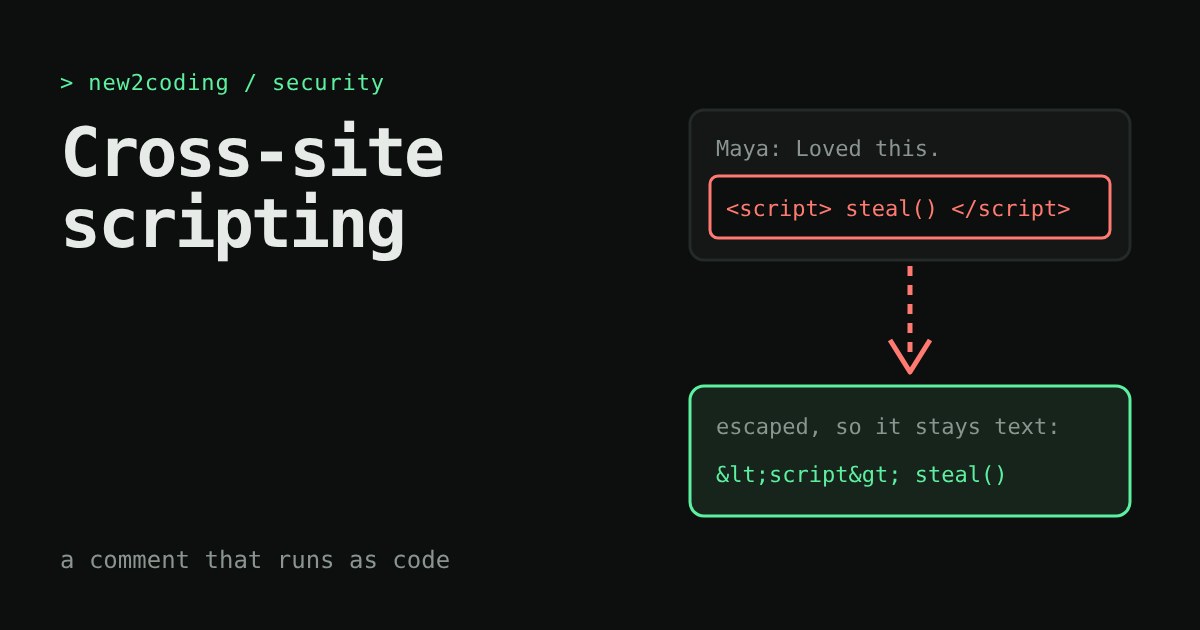
You build a little site with a comment box. Someone types Great post! and everyone sees Great post!. Then someone types something that is not a comment at all, but a tiny program, and every visitor's browser runs it. That is cross-site scripting, usually shortened to XSS. This article shows how it happens, in a safe sandbox, and the one habit that stops it.
A browser can't tell your text from your code
A web page is just text: HTML. The browser reads it from top to bottom and treats certain pieces, the ones inside angle brackets like <b>, as instructions. Everything else is words to show on screen.
Now picture the server building a page by gluing strings together. Here is that in Python, with a comment from a visitor:
import html

comment = '<img src=x>'

unsafe_page = "<p>" + comment + "</p>"
safe_page = "<p>" + html.escape(comment) + "</p>"

print("unsafe:", unsafe_page)
print("safe:  ", safe_page)
Running it prints:
unsafe: <p><img src=x></p>
safe: <p><img src=x>The first page contains a real <img> element. The visitor's browser will try to load an image from the address x, fail, and then run whatever JavaScript is written in onerror. The comment stopped being words and became code. The second page contains only harmless characters that look like the same text on screen.
Why "cross-site" and why it matters
The script doesn't run on the attacker's website. It runs on yours, inside the visitor's browser, with all the same permissions as your own code. It can read what is on the page, click buttons as the visitor, and read anything stored for your site that JavaScript can reach, such as a login token. That last part is why XSS is serious: one bad comment can let an attacker act as every person who views it.
When the harmful text is saved (in a comment, a profile name, a message) and shown to many people, it is called stored XSS. When it hides in a link and only affects whoever clicks that link, it is reflected XSS. The cause is the same in both: text from outside was put into a page without being turned into plain characters first.
Try it yourself
The mock page below is a tiny fake comment section. It holds a pretend login token called sessionToken. Pick an example comment or write your own, then post it. The left page pastes your comment straight into the HTML. The right page escapes it first. Everything runs in locked boxes with no network access, so nothing can leave this page; the "attacker's inbox" only shows what a real attacker's server would have received.
Try the HTML tag comment first. On the left the word LOUD turns bold, which proves the page treated your text as markup. That is harmless on its own, but it is the same door the attacker uses. Then try Image trick and watch the inbox fill with the token. Notice that the Script tag comment does the same, and that the right-hand page just prints the characters and nothing happens.
The fix: escape on the way out
Escaping means swapping the characters that have special meaning in HTML for safe stand-ins: < becomes <, > becomes >, & becomes &, and quote marks become " or '. The browser shows those as the original characters but never treats them as instructions. Python's html.escape does exactly this.
The same idea exists in the browser's own JavaScript. These two lines show the difference:
box.innerHTML = comment;     // comment is read as HTML (dangerous)
box.textContent = comment;   // comment is shown as plain text (safe)
A few habits keep you out of trouble:
- Use the safe default. Django templates, Flask's Jinja templates for
.htmlfiles, and React's{value}in JSX all escape text for you. Trouble usually starts when someone switches that off on purpose, with names such as|safeordangerouslySetInnerHTML. - Escape for the place you are writing into. Text inside a page, inside an attribute, and inside a link address each need slightly different care. Let your framework or a well-known library choose, and don't write your own.
- Treat every outside string as untrusted. Comments, names, search terms and values from a link are all input, even if they look innocent today.
Extra layers of defence
Escaping is the main fix, but careful sites add a second line. A Content-Security-Policy header tells the browser which scripts it may run and blocks the rest, which is exactly what keeps the frames above from reaching the network. Marking a login cookie HttpOnly stops JavaScript from reading it at all, so even a successful injection can't copy it. Neither replaces escaping; they limit the damage when one is missed.
What to take away
Whenever your code mixes text from outside with HTML you write, the browser can't tell which part is which. Escaping at the moment of output makes the difference clear again. If you use a modern framework and leave its defaults alone, you are already protected in most places; the habit to build is to notice every spot where you turn that protection off, and ask why.