security/two-factor-codes-how-your-phone-and-a-website-agree-on-six-digits-with.md
Two-factor codes: how your phone and a website agree on six digits without talking
Your authenticator app shows six digits and the website expects the same six, yet the two never talk. How? Both sides start from the same secret and the same clock, turn the time into a 30-second counter, mix it with the secret using HMAC, and shorten the result to six digits.
This article walks through those three steps, lets you move the clock and watch a phone and a website agree, and shows the whole thing in a short Python function.
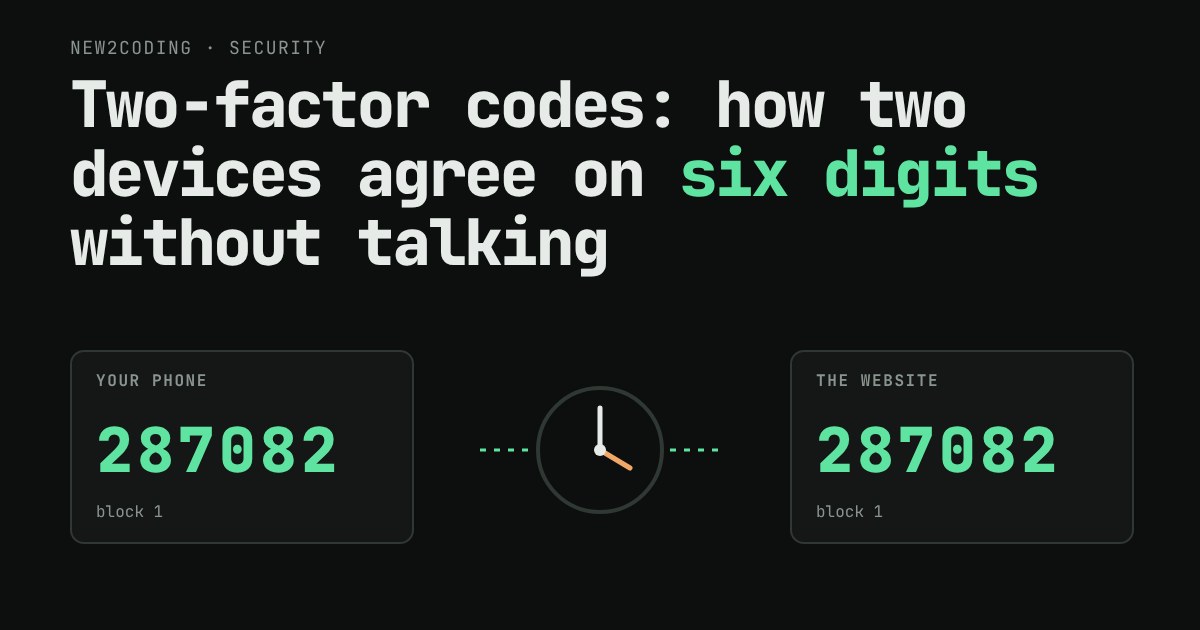
You open an authenticator app and it shows 287082. You type that into a website, and the website says yes. But your phone and the website never talked to each other while you were doing this. Your phone might even be in aeroplane mode. So how does the website know which six digits to expect?
They share two things
The trick is that both sides can work out the same number on their own, as long as they start from the same two inputs. The first is a secret: a string of random bytes. When you set up two-factor login, the site shows you a QR code. That QR code is just the secret, packed into a link your app can read. Your app stores it, the website stores it, and nobody sends it again.
The second is the time. Every computer keeps a clock, and computers count time as the number of seconds since 1 January 1970 (UTC), called Unix time. If your phone and the website both read the clock, they both get nearly the same number of seconds.
This scheme is called TOTP, short for Time-based One-Time Password. It is defined in a public standard, RFC 6238, which builds on an older one, RFC 4226. Every authenticator app follows it, which is why one app can hold codes for many different sites.
Three steps from clock to code
1. Turn the time into a counter
A code that changed every second would be impossible to type. So the time is chopped into 30-second blocks: divide Unix time by 30 and throw away the remainder. Every second from 30 to 59 gives counter 1, every second from 60 to 89 gives counter 2, and so on. Two clocks that agree to within a few seconds almost always land in the same block.
2. Mix the secret and the counter
Next, both sides feed the secret and the counter into HMAC. A hash function is a machine that scrambles any input into a fixed-size fingerprint and cannot be run backwards; HMAC is a hash that also takes a secret key, so only someone who knows the key can produce the right fingerprint. Here the hash is SHA-1, which gives 20 bytes. Change the counter by one and the 20 bytes look completely different. Someone who sees one code cannot work out the secret, or the next code.
3. Shrink 20 bytes to 6 digits
Twenty bytes is too long to type, so the standard shortens it. Look at the last byte and keep its lowest four bits: a number from 0 to 15, called the offset. Take the four bytes that start at that offset, drop the very first bit so the result is a positive number, and keep the last six digits of it (the remainder after dividing by 1,000,000). That is your code.
Try it: two devices, one clock
The figure below runs the real algorithm in your browser. Drag the time slider, or press Play, and watch the phone and the website arrive at the same code. Then make the website's clock wrong and see what happens.
The same thing in Python
Here are the three steps as code. It uses only things that ship with Python: hmac, hashlib and struct (which turns a number into raw bytes).
import hmac, hashlib, struct

secret = b"12345678901234567890"

def code(unix_time, step=30, digits=6):
    counter = unix_time // step                      # 1. clock -> counter
    message = struct.pack(">Q", counter)             #    counter as 8 bytes
    h = hmac.new(secret, message, hashlib.sha1).digest()   # 2. mix with the secret
    offset = h[-1] & 0x0F                            # 3. pick 4 bytes...
    number = struct.unpack(">I", h[offset:offset + 4])[0] & 0x7FFFFFFF
    return str(number % 10**digits).zfill(digits)    #    ...and keep 6 digits

print(code(29))
print(code(30))
print(code(59))
print(code(60))
Running it prints:
755224
287082
287082
359152
Seconds 30 and 59 sit in the same 30-second block, so they give the same code. Second 29 is one block earlier and second 60 is one block later, so both give something unrelated. Those numbers match the test values published in the RFCs.
What this means for you
A wrong clock breaks the code. If you slide the website's clock off by more than a block in the figure, the codes stop matching. That is a real cause of "invalid code" errors: a phone whose clock was set by hand and has drifted. Turning on automatic time in your phone settings fixes it. Because clocks are never perfectly in step, the RFC suggests that a server may also accept the block just before or after the current one, which is the checkbox in the figure.
The secret is the whole security. Anyone who gets the secret, for example from a screenshot of the QR code, can generate your codes forever. Treat it like a password. This is also why services give you backup codes: if you lose the phone, the secret goes with it.
A code is not a shield against fake sites. If you type a valid code into a look-alike site, the person running it can pass it to the real site within the same 30 seconds. TOTP stops someone who only has your password, which is a big gain, but it does not remove the need to check the address you are typing into.
Six digits are fine here. There are only a million possible codes, which sounds small. It works because the code lives for about 30 seconds and the site limits wrong guesses, so a stranger gets very few tries per code.