databases/database-transactions-why-moving-money-is-all-or-nothing.md
Database transactions: why moving money is all or nothing
Paying someone is really two changes in a database: take money from one account, add it to another. If the power dies between them, money vanishes.
A transaction bundles the changes so they happen all together or not at all. Pull the plug yourself in the interactive, then run real Python and SQLite code to see BEGIN, COMMIT and ROLLBACK keep the data safe.
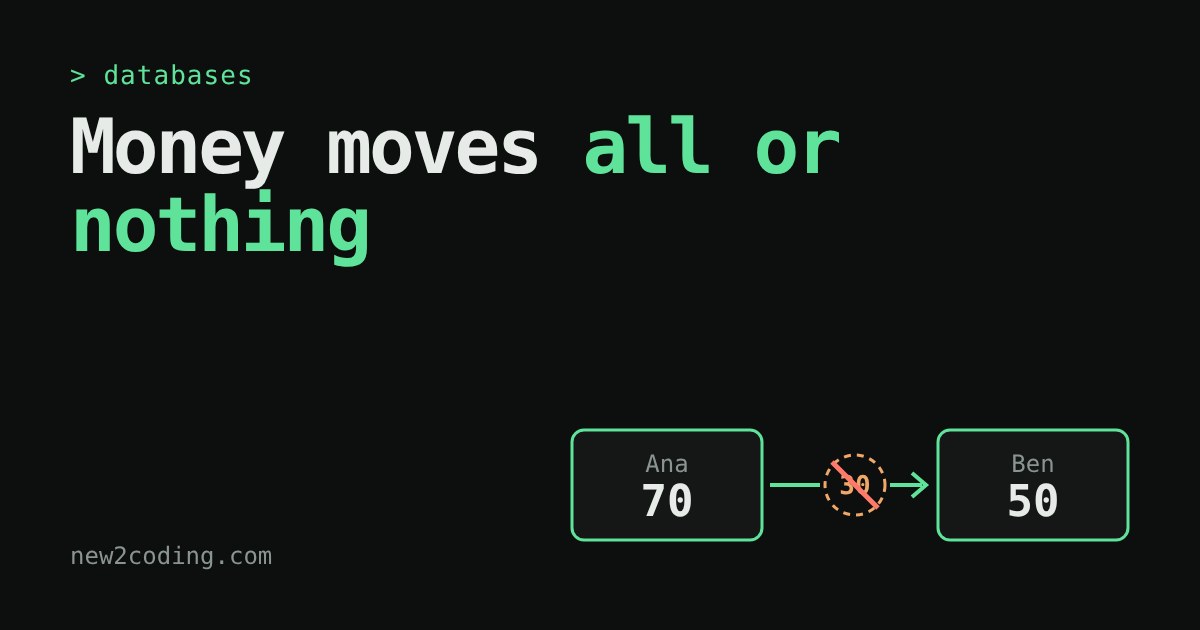
One transfer, two changes
Ana owes Ben 30 euros. In a bank's database, paying him means two separate changes: take 30 off Ana's balance, then add 30 to Ben's. Each change is its own instruction (in SQL, its own UPDATE statement). A database is simply a program that stores tables of data and runs those instructions for you.
Here is the uncomfortable question: what if the computer crashes between the two changes? The power goes out, the program hits a bug, the network drops. Ana has paid, Ben has not been paid, and 30 euros have vanished from the system. Nobody stole them. They were simply never written down on the other side.
Databases solve this with an idea called a transaction: a bundle of changes that the database treats as one single step. Either every change in the bundle happens, or none of them do. There is no half.
Try it: pull the plug halfway
The widget below has two accounts. Pick a mode, press Run next step to execute one instruction at a time, and press Pull the plug at any moment to simulate a crash. Watch the "saved on disk" column, because that is what survives the crash. The total should always be 150.
BEGIN, COMMIT, ROLLBACK
Three SQL words control a transaction.
BEGIN says "everything from here on is one bundle". The database keeps your changes pending: your own program can see them, but they are not yet final. COMMIT says "the bundle is complete, make all of it permanent". ROLLBACK says "forget the whole bundle", and every pending change is undone. If the crash happens before COMMIT, the database does the rollback by itself when it starts up again.
The key moment is COMMIT. Before it, the old balances are the truth. After it, the new ones are. The database makes that switch in one indivisible step, which is why you can never observe "Ana paid, Ben not yet" in the saved data.
The same thing in real code
The Python language ships with SQLite, a small database that lives in a single file (or, here, in memory). This program runs the experiment twice, crashing with an error between the two updates. The first run saves each statement straight away, the second wraps them in a transaction:
import sqlite3

# isolation_level=None = autocommit: every statement is saved immediately
con = sqlite3.connect(":memory:", isolation_level=None)
con.execute("CREATE TABLE accounts (name TEXT PRIMARY KEY, balance INTEGER)")
con.executemany("INSERT INTO accounts VALUES (?, ?)", [("Ana", 100), ("Ben", 50)])

def crash():
    raise RuntimeError("power cut!")

# 1. Two separate statements, crash in between
try:
    con.execute("UPDATE accounts SET balance = balance - 30 WHERE name = 'Ana'")
    crash()
    con.execute("UPDATE accounts SET balance = balance + 30 WHERE name = 'Ben'")
except RuntimeError as e:
    print("error:", e)
print("without a transaction:", con.execute("SELECT * FROM accounts ORDER BY name").fetchall())

# 2. Same steps, wrapped in a transaction (after resetting the data)
con.execute("DELETE FROM accounts")
con.executemany("INSERT INTO accounts VALUES (?, ?)", [("Ana", 100), ("Ben", 50)])
try:
    con.execute("BEGIN")
    con.execute("UPDATE accounts SET balance = balance - 30 WHERE name = 'Ana'")
    crash()
    con.execute("UPDATE accounts SET balance = balance + 30 WHERE name = 'Ben'")
    con.execute("COMMIT")
except RuntimeError as e:
    print("error:", e)
    con.execute("ROLLBACK")
print("with a transaction:   ", con.execute("SELECT * FROM accounts ORDER BY name").fetchall())
Output (run with SQLite 3.45):
error: power cut!
without a transaction: [('Ana', 70), ('Ben', 50)]
error: power cut!
with a transaction:    [('Ana', 100), ('Ben', 50)]
Without the transaction, 30 euros disappeared. With it, the data is exactly as before. The rollback undid the half-finished work.
Rules can cancel a transaction too
Crashes are not the only reason to abandon a bundle. Suppose Ana only has 70 and tries to send 500. You can tell the database that a balance must never be negative by adding a CHECK rule to the table. When a change breaks the rule, the database refuses it with an error, and your code can roll back the rest of the bundle.
Python makes this tidy with with con:. The block commits if it finishes normally and rolls back if an error escapes from it:
import sqlite3

con = sqlite3.connect(":memory:")
con.execute("CREATE TABLE accounts (name TEXT PRIMARY KEY, balance INTEGER CHECK (balance >= 0))")
con.executemany("INSERT INTO accounts VALUES (?, ?)", [("Ana", 100), ("Ben", 50)])
con.commit()

def transfer(src, dst, amount):
    with con:  # commits if the block finishes, rolls back if it raises
        con.execute("UPDATE accounts SET balance = balance - ? WHERE name = ?", (amount, src))
        con.execute("UPDATE accounts SET balance = balance + ? WHERE name = ?", (amount, dst))

transfer("Ana", "Ben", 30)
print(con.execute("SELECT * FROM accounts ORDER BY name").fetchall())

try:
    transfer("Ana", "Ben", 500)   # Ana only has 70
except sqlite3.IntegrityError as e:
    print("refused:", e)
print(con.execute("SELECT * FROM accounts ORDER BY name").fetchall())
[('Ana', 70), ('Ben', 80)]
refused: CHECK constraint failed: balance >= 0
[('Ana', 70), ('Ben', 80)]The first transfer went through. The second was refused, and the balances stayed as they were. Notice the question marks in the UPDATE lines: they pass values to the database safely, which matters a lot once the values come from users.
Where you will meet the word "ACID"
Database books describe transactions with four properties, usually abbreviated ACID. In plain words:
Atomicity means all or nothing, which is the part you just played with. Consistency means a transaction moves the data from one valid state to another, so rules like "no negative balance" are never left broken. Isolation means that other people using the database at the same time do not see your half-finished work; how strictly this holds can usually be configured. Durability means that once COMMIT succeeds, the change survives a crash or a power cut.
What this means for your own code
Whenever two or more changes only make sense together, put them in one transaction. Typical cases are moving money, creating an order together with its order lines, or removing a user together with everything that belongs to them. Keep the bundle short: do the thinking first, then open the transaction, change what you need, and commit. And remember that a single UPDATE or INSERT is already atomic on its own, so you only need to bundle when there is more than one step.
Finally, check how your tools behave by default. Python's sqlite3 module, for instance, quietly opens a transaction before an INSERT or UPDATE, and your changes are only saved when you call commit() (or leave a with con: block). Other libraries and frameworks make different choices, so read their documentation before you trust a transfer to them.