databases/sql-joins-how-two-tables-become-one-answer-inner-left-right-full.md
SQL JOINs: how two tables become one answer (INNER, LEFT, RIGHT, FULL)
Your data lives in two tables, but your question needs both. A JOIN lines them up, and the four kinds (INNER, LEFT, RIGHT, FULL) differ only in what happens to rows with no partner.
Switch between them, remove rows and watch the result change live. Along the way: what NULL means, why COUNT(*) and COUNT(column) disagree, and a neat trick for finding customers who never ordered.
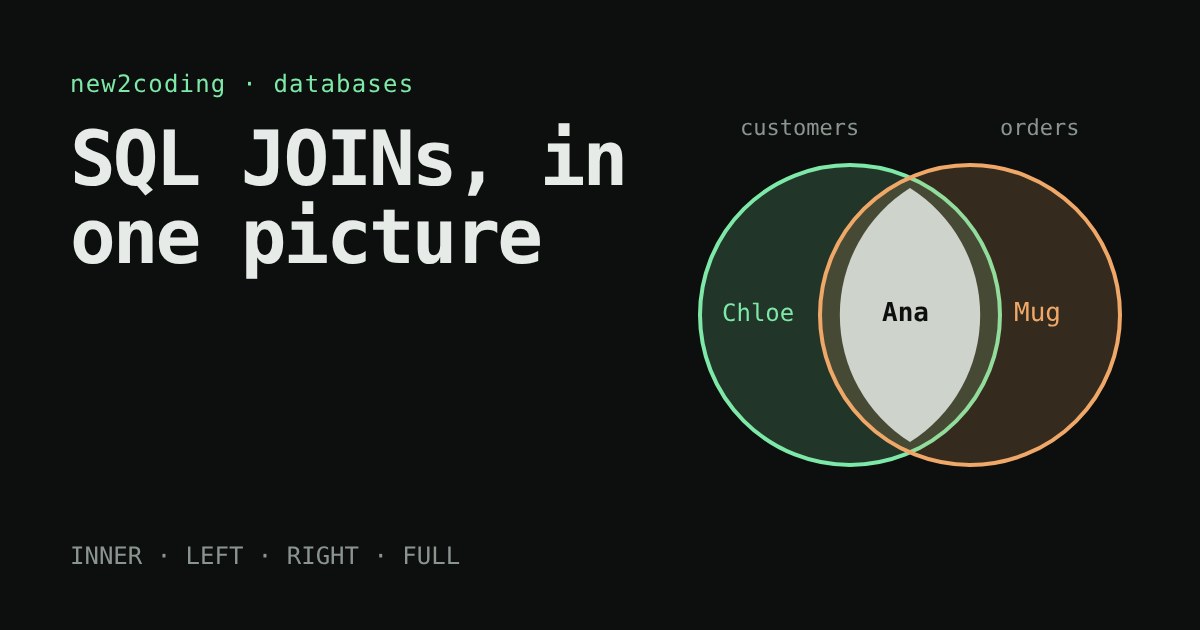
You have one table of customers and another of orders. Your boss asks: "Which customer bought which item?" The answer lives in both tables, so you need a way to line them up. In SQL (the language most databases are asked questions in), that tool is called a JOIN. It trips up beginners because there are several kinds, and the names sound alike. This article builds one picture that makes them all click.
Why the data is split in the first place
Imagine storing every order as one long line: "Ana, [email protected], Notebook", "Ana, [email protected], Pen". Ana's details are copied on every row, and if her email changes you must fix it in many places. So databases keep one table for customers and one for orders, and each order stores just the customer's id number. That number is called a foreign key: a value that points at a row in another table.
| customers.id | customers.name |
|---|---|
| 1 | Ana |
| 2 | Ben |
| 3 | Chloe |
| 4 | Dev |
| orders.id | orders.customer_id | orders.item |
|---|---|---|
| 101 | 1 | Notebook |
| 102 | 1 | Pen |
| 103 | 2 | Lamp |
| 104 | 9 | Mug |
Look closely: Chloe and Dev have no orders, and order 104 points at customer 9, who is not in the table (maybe that account was deleted). Those awkward rows are exactly what makes the join types differ.
What a JOIN does
A join walks through the rows and pairs up the ones where a condition is true. The condition is written after the word ON:
SELECT customers.name, orders.item
FROM customers
INNER JOIN orders ON orders.customer_id = customers.id;
Read it as: "for every customer and every order, keep the pair only if the order's customer_id equals the customer's id". Running this in SQLite 3.45 gives:
Ana    Notebook
Ana    Pen
Ben    Lamp
Ana appears twice because she has two orders. Chloe, Dev and the Mug order are missing, since none of them found a partner. That is the rule of an INNER JOIN: only rows that matched on both sides survive.
Try it: the four kinds of join
The four kinds, in one sentence each
INNER JOIN keeps only the matched pairs. LEFT JOIN keeps every row of the table written before the word JOIN (the "left" one), and fills in NULL when it has no partner. RIGHT JOIN is the mirror image: every row from the right table is kept. FULL JOIN keeps everything from both sides.
NULL is the database's way of saying "no value here". With a LEFT JOIN, Chloe and Dev now show up, with NULL in the item column:
Ana    Notebook
Ana    Pen
Ben    Lamp
Chloe  NULL
Dev    NULL
A RIGHT JOIN instead adds the orphaned Mug order with NULL for the name, and a FULL JOIN adds all three lonely rows. These outputs are real: they come from running the queries in SQLite 3.45. One note on versions: SQLite only learned RIGHT and FULL joins in version 3.39 (2022), so in older copies you will see an error. PostgreSQL and SQL Server support all four.
Two traps worth knowing
Trap 1: counting with a LEFT JOIN. Suppose you want orders per customer. These two queries look almost the same but give different answers for Chloe:
-- counts the order ids (NULL is skipped)
SELECT customers.name, COUNT(orders.id)
FROM customers LEFT JOIN orders ON orders.customer_id = customers.id
GROUP BY customers.id;
-- Ana 2, Ben 1, Chloe 0, Dev 0

-- counts rows (Chloe's NULL row still counts as one row)
SELECT customers.name, COUNT(*)
FROM customers LEFT JOIN orders ON orders.customer_id = customers.id
GROUP BY customers.id;
-- Ana 2, Ben 1, Chloe 1, Dev 1
COUNT(column) ignores NULL, while COUNT(*) counts rows. Only the first one tells the truth about Chloe.
Trap 2: forgetting the ON. Without a condition, the database pairs every customer with every order: 4 customers times 4 orders is 16 rows, most of them nonsense. With millions of rows, that mistake can run for a very long time.
A useful trick: finding who has nothing
A LEFT JOIN lets you ask "which customers never ordered?". Keep the rows where the right side came back empty:
SELECT customers.name
FROM customers
LEFT JOIN orders ON orders.customer_id = customers.id
WHERE orders.id IS NULL;
-- Chloe, Dev
Note the spelling: you test for emptiness with IS NULL, never with = NULL, because NULL is not equal to anything, not even to itself.
What to take to your own code
When you reach for a join, ask one question first: "If a row has no partner, do I want to see it or lose it?" Lose it: INNER. Keep the left table's rows: LEFT. Most day-to-day queries are one of those two. And when numbers look too big or too small, check for two usual suspects: a missing or wrong ON condition, and COUNT(*) where COUNT(column) was meant.