networks/cdns-why-a-far-away-server-feels-slow-and-how-copies-near-you-fix-it.md
CDNs: why a far-away server feels slow, and how copies near you fix it
Why does a website load instantly for you and slowly for someone on the other side of the world? The server is the same; the distance is not. Every page needs several round trips, and each one costs time that no faster plan can remove.
A CDN fixes this by keeping copies of files on edge servers in many cities. Try a simulator with a cache hit, a cache miss and an expiring copy, then read the real `Cache-Control` header and a short Python sketch of an edge cache.
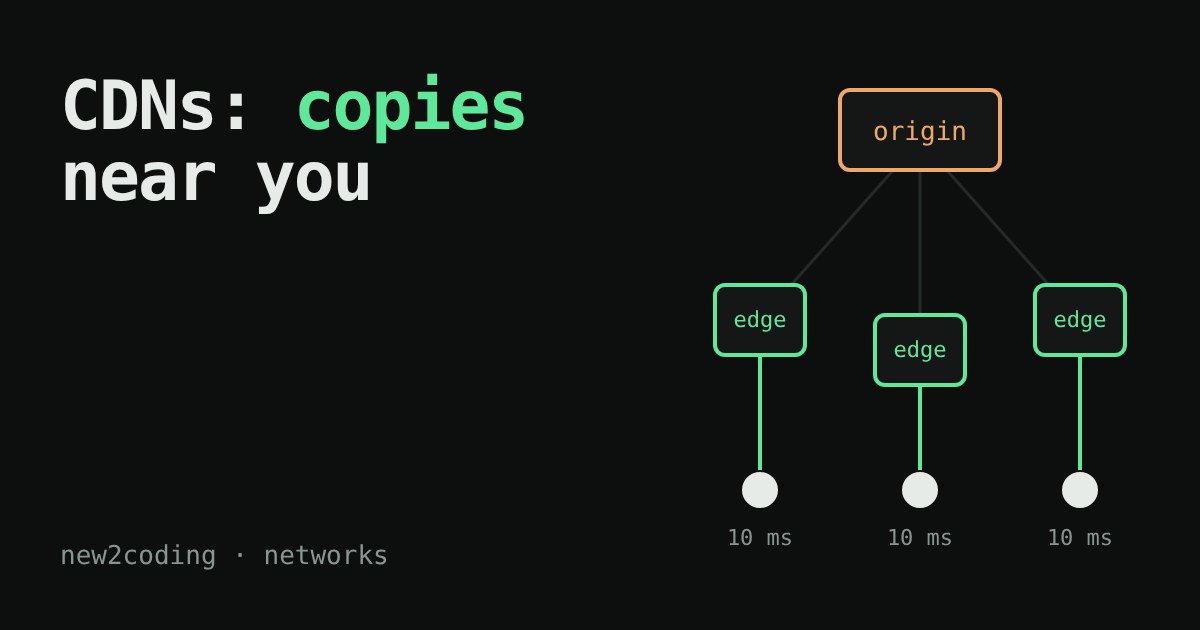
You open a website and it appears almost instantly. A friend on the other side of the world opens the same site and waits a second or two. The server did not get slower. Something else is going on, and fixing it is the job of a CDN.
The problem: distance is a real cost
Data travels through cables as light or electricity. Light in a glass fibre covers about 200,000 kilometres per second, roughly two thirds of its speed in empty space. That sounds fast, but 1,000 km still takes about 5 milliseconds one way, so a round trip (there and back) over 1,000 km costs at least 10 ms. Real cables are longer than a straight line and every router on the way adds a little delay, so reality is slower than this best case.
One round trip does not matter much. Loading a page needs several. Over HTTPS the browser first opens a connection (TCP, one round trip), then agrees on encryption (TLS, one more with TLS 1.3), and only then asks for the page (a third). That is at least three round trips before the first byte of the page arrives, and that is before the images, scripts and styles it asks for next.
If the server is 12,000 km away, three best-case round trips already cost about 360 ms. You cannot buy your way out of it: more bandwidth does not shorten the distance (the same lesson as in our article on latency versus bandwidth).
The idea: keep copies close to the readers
A CDN (content delivery network) is a company that runs many small servers, called edge servers, in cities all over the world. Your website's own server, where the original files live, is called the origin. When a reader asks for a file, the request goes to the nearest edge server (this is arranged through DNS, which can hand out the address of a nearby edge, or through a routing trick called anycast). Then one of two things happens:
Cache hit. The edge already holds a copy of the file, so it answers straight away. The long trip to the origin never happens.
Cache miss. The edge has no copy. It fetches the file from the origin, hands it to the reader, and keeps a copy for the next person who asks. That first reader pays for the long trip, and the readers after them do not.
Try it. Pick a city, then load the page a few times with the CDN off and on.
Notice three things. With the CDN off, every load costs the same, because every load makes the whole journey. With the CDN on, the first load from a city is a miss: it is much slower than a hit, because the edge has to fetch the page from the origin too. It is still faster than going direct, because the three setup round trips now happen with the nearby edge and only one trip makes the long journey. Every load after that is a hit and is fast. And if you press “Wait 61 seconds”, the copy expires and the next load is a miss again.
Why copies expire
A copy that never expired would go stale: if you changed the page, readers would keep seeing the old one. So each copy has a lifetime. The origin sets it with an HTTP header on the response:
Cache-Control: public, max-age=60public means shared caches such as a CDN are allowed to keep the file, and max-age=60 means it counts as fresh for 60 seconds. After that the edge must check with the origin again. Images and scripts that rarely change often get a lifetime of days or a year; a page that changes every minute gets a short one or none at all. (CDNs can also be told to drop a copy early, which is called a purge.)
The same logic in a few lines of code
An edge server's core is just a dictionary with an expiry time. This Python sketch fakes the clock so it runs instantly:
class Edge:
    def __init__(self, name, ttl):
        self.name, self.ttl, self.store = name, ttl, {}

    def get(self, path, now, origin):
        hit = self.store.get(path)
        if hit and now < hit["expires"]:
            return hit["body"], "HIT"
        body = origin(path)              # slow trip to the origin
        self.store[path] = {"body": body, "expires": now + self.ttl}
        return body, "MISS"

def origin(path):
    return f"contents of {path}"

edge = Edge("Frankfurt", ttl=60)
for t in [0, 5, 30, 59, 61, 62]:
    body, status = edge.get("/logo.png", t, origin)
    print(f"t={t:>2}s  {status}")
Running it prints:
t= 0s  MISS
t= 5s  HIT
t=30s  HIT
t=59s  HIT
t=61s  MISS
t=62s  HIT
The first request misses, the next ones hit, the request at 61 seconds finds an expired copy and misses, and then the fresh copy serves hits again. This is the same pattern you saw in the simulation. (ttl stands for time to live, the same idea you met with DNS.) A real edge server also handles many files, limited disk space and several requests arriving at once, but the core idea is this small.
What a CDN does not fix
A CDN helps most with things that are the same for everybody: images, fonts, scripts, stylesheets, downloads and pages that are not personalised. A page that is different for each logged-in reader, such as your inbox, cannot simply be copied and shared, so those requests still travel to the origin. Many CDNs also keep the connection to the origin open and reuse it, which makes even a miss cheaper than a fresh trip from the reader's device.
So what, for your own site?
If you publish a site, put static files behind a CDN, and check what Cache-Control header they carry. In your browser's developer tools, open the Network tab, click a request and read its response headers: you will often see the lifetime, and many CDNs add a header showing whether the answer was a hit or a miss (the name varies by provider). If a change you made does not appear, an unexpired copy is the first suspect. If you are building a site, the lesson to carry is simple: the fastest request is the one that never has to travel far.