networks/traceroute-how-a-countdown-number-reveals-every-stop-between-you-and-a.md
Traceroute: how a countdown number reveals every stop between you and a server
Your data crosses a dozen machines on its way to a server, and you never see one of them. Yet a tool called traceroute lists every stop in order.
The secret is a small countdown number inside each packet, the TTL. Every router subtracts 1, and the router that reaches 0 drops the packet and sends a note back. Send probes with TTL 1, 2, 3 and you learn who answers at each step.
Send your own packets through a five-stop path, run a traceroute, and see why some hops show only stars.
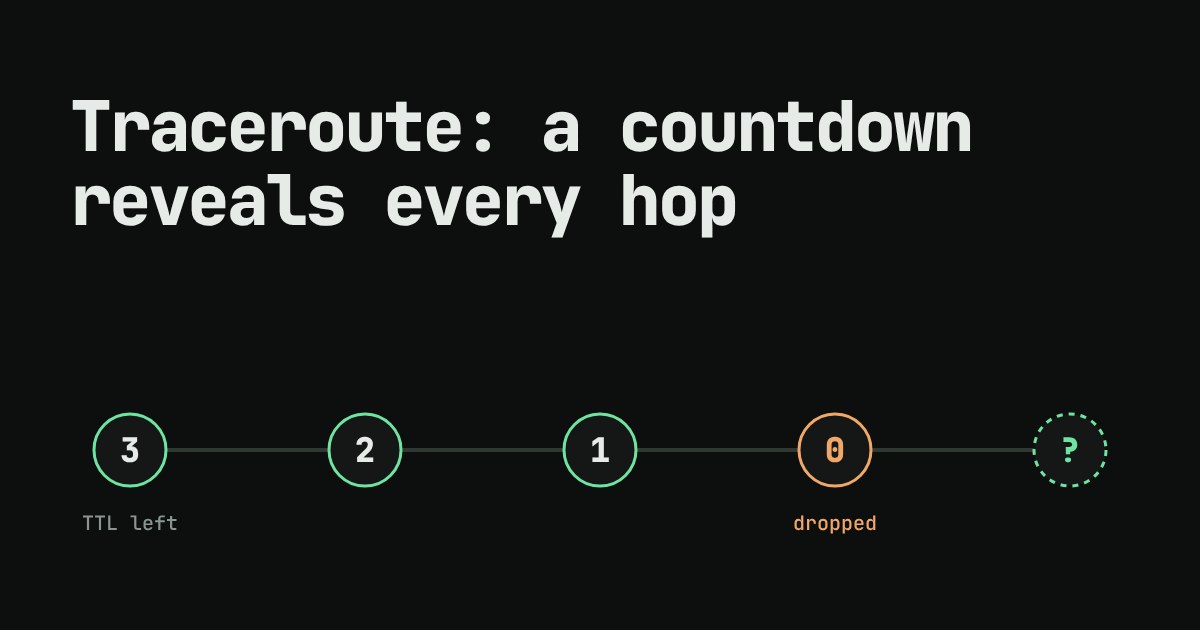
Your computer can send a message to a server on the other side of the world, and the message crosses a dozen machines on the way. You never see any of them. Yet a tool called traceroute lists every one, in order. How can a message be made to reveal the road it took? The answer is a single small number stored inside every packet.
A packet carries a countdown
Data on the internet travels in packets: small chunks, each with a header that works like the address label on a parcel. The machines that pass packets along are called routers. Each one reads the destination, picks the next machine, and forwards the packet. One hop is one router handing a packet to the next.
One field in that header is the TTL, short for "time to live". The sender sets it to a starting number (64 is common on Linux and macOS, 128 on Windows). Every router subtracts 1 before forwarding. If the number reaches 0, the router throws the packet away instead of forwarding it. (In the newer IPv6 version of the protocol the same field is called the hop limit.)
Why have this at all? Mistakes in routing tables can send a packet in a circle. Without a countdown, it would loop forever and pile up. TTL guarantees every packet eventually dies.
The dying packet sends a note
When a router drops a packet because its TTL hit 0, it does not stay silent. It sends a small message back to the original sender called an ICMP "Time Exceeded" message (ICMP is the protocol machines use to report problems about packets). That message arrives from the router's own address. So the sender learns that router's address.
That is the trick. If you choose the TTL on purpose, you choose which router drops your packet, and so which router writes back:
- TTL 1: the first router drops it and replies.
- TTL 2: the second router drops it and replies.
- TTL 3: the third router, and so on, until a packet has enough TTL to reach the destination itself.
Sending probes with TTL 1, 2, 3 and so on, and writing down who answers each one, gives you the whole route. That is exactly what traceroute does (it is called tracert on Windows).
Try it: send your own packets
Below is a made-up path with five stops. Use the buttons to pick a TTL, then send one packet and watch where it dies. Then run a full traceroute. The times are invented example numbers, not measurements.
The same idea in code
You do not need real routers to see the logic. This Python program models the path above and sends probes with TTL 1 to 5. It does what a router does: subtract 1, and stop at 0.
route = ["home router", "ISP gateway", "city exchange",
         "backbone router", "example.com server"]

def probe(ttl):
    for hop, name in enumerate(route, start=1):
        if hop == len(route):
            return hop, name, "arrived"
        ttl -= 1                      # every router subtracts 1
        if ttl == 0:                  # ...and drops the packet at zero
            return hop, name, "time exceeded"

for ttl in range(1, 6):
    hop, name, result = probe(ttl)
    print(f"TTL {ttl} -> hop {hop}: {name} ({result})")
Running it prints:
TTL 1 -> hop 1: home router (time exceeded)
TTL 2 -> hop 2: ISP gateway (time exceeded)
TTL 3 -> hop 3: city exchange (time exceeded)
TTL 4 -> hop 4: backbone router (time exceeded)
TTL 5 -> hop 5: example.com server (arrived)
Notice the last line. A packet whose TTL is more than enough does not die: it reaches the destination, and the destination answers normally. That different answer is how traceroute knows it has arrived and can stop.
Reading real output
On a real machine you run traceroute example.com (macOS and Linux) or tracert example.com (Windows). Real tools usually send three probes per hop and print the round-trip time of each, so a line shows three times. A few things are normal and not a sign of trouble:
- Lines with
* * *. Some routers are set not to send "Time Exceeded" messages, or a firewall blocks them. The packets still pass through; you just do not get a name for that hop. - A time that jumps up and then falls again. A router treats answering your probe as low priority work, so a single slow reply does not mean the traffic through it is slow.
- Different routes on different days. The internet picks paths dynamically, so two runs can list different routers.
By default traceroute gives up after 30 hops. Also, the reply addresses show the router on the path you probed; the return trip is not guaranteed to take the same road.
So what for your own code?
Next time a site feels slow, traceroute helps you answer a useful first question: is the delay near me, or far away? If the time jumps at hop 2, the problem is probably your connection to your provider. If it jumps at hop 12, the slowness is somewhere in the middle of the internet, and nothing you change at home will fix it. It is also a good reminder that "the internet" is really a chain of ordinary machines, each doing one small job: subtract 1, forward.