security/csrf-why-a-request-carrying-your-cookie-isn-t-proof-that-you-sent-it.md
CSRF: why a request carrying your cookie isn't proof that you sent it
Log in to your bank in one tab, open a stranger's page in another, and a hidden form can make your browser send money. The attacker never sees your password or cookie. The browser attaches the cookie by itself.
Play with a simulated bank and attacker, switch on SameSite cookies and a CSRF token one at a time, and see real output from a small Node.js server that blocks a forged request.
The question
You are logged in to your bank in one browser tab. In another tab you open a page from a stranger: a funny quiz, say. Could that page make your bank send money, even though it cannot see your bank tab and does not know your password?
On a badly built site, yes. The trick is called cross-site request forgery, or CSRF (said "sea-surf"). It works because of how browsers handle cookies, and once you see the mechanism the defences are easy to remember.
The cookie goes along for the ride
When you log in, a website gives your browser a session cookie: a small value that says "this browser is Ana". From then on, the browser attaches that cookie to every request it sends to that website. (If cookies are new to you, there is a separate article on how they work.)
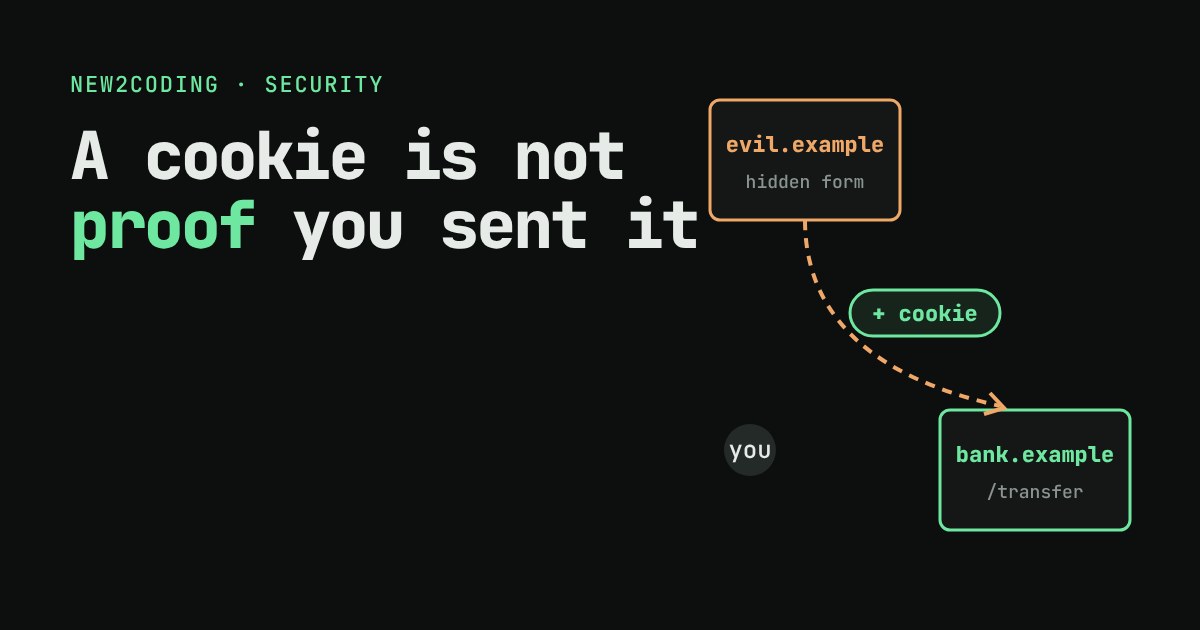
Here is the catch. The browser attaches the cookie because of where the request is going, not because of who or what started it. If a page on evil.example makes your browser send a request to bank.example, the browser still adds the bank's cookie. The bank's server sees a perfectly normal logged-in request.
The attacker's page cannot read the answer, and it never learns your cookie. It does not need to. It only needs the request to happen. A hidden form that submits itself is enough:
<form action="https://bank.example/transfer" method="POST">
  <input type="hidden" name="to" value="mallory">
  <input type="hidden" name="amount" value="500">
</form>
<script> document.forms[0].submit() </script>
A request that changes something, such as moving money or changing an email address, is called state-changing. Those are the requests worth forging.
Try it: attack and defend
Below is a tiny simulated bank. Ana is logged in with 1000 coins. Press Visit evil page to send a forged request, then switch defences on one at a time and try again. Nothing here touches a real site: it is all code running in this page.
What each defence does
A CSRF token. When the server builds a page for you, it puts a long random value, the token, inside it, and remembers that value for your session. Every state-changing request must send the token back, in a hidden form field or a header. The attacker's page cannot read the bank's page (browsers forbid it, a rule called the same-origin policy), so it cannot know the token. The cookie shows up automatically; the token does not.
The SameSite cookie attribute. This tells the browser when to attach the cookie. Strict means never on a request that starts from another site. Lax means only when you navigate there with a safe method like GET, such as clicking a link, but not for a cross-site POST. None means always. The MDN guidance is to set it explicitly rather than rely on what a browser does when it is missing, and to treat it as a second layer, not the only one. Note that "site" is wider than "origin": app.example.com and blog.example.com count as the same site.
Fetch metadata. Modern browsers add a request header, Sec-Fetch-Site, whose value says whether the request came from the same origin, the same site, or a different site. A server can simply refuse state-changing requests that say cross-site.
Do not change things on GET. GET is meant for reading. In the simulation, a bank that accepts GET for transfers can be hit even with Lax, because Lax allows cross-site GET navigations. Changes belong behind POST (or PUT, PATCH, DELETE).
The same check in real code
This is a small Node.js server with the token check. It hands out a session cookie and a token at login, and refuses a POST /transfer unless the token header matches the one stored for that session.
const http = require('http');
const crypto = require('crypto');
const sessions = new Map();   // session id -> { token, balance }

http.createServer((req, res) => {
  if (req.url === '/login') {
    const id = crypto.randomBytes(16).toString('hex');
    const token = crypto.randomBytes(16).toString('hex');
    sessions.set(id, { token, balance: 1000 });
    res.setHeader('Set-Cookie', `sid=${id}; HttpOnly; SameSite=Lax; Path=/`);
    return res.end(JSON.stringify({ token }));
  }
  const m = /sid=([0-9a-f]+)/.exec(req.headers.cookie || '');
  const s = m && sessions.get(m[1]);
  if (!s) { res.statusCode = 401; return res.end('not logged in\n'); }
  if (req.method === 'POST' && req.url === '/transfer') {
    if (req.headers['x-csrf-token'] !== s.token) {
      res.statusCode = 403;
      return res.end('blocked: missing or wrong CSRF token\n');
    }
    s.balance -= 500;
    return res.end(`sent 500, balance now ${s.balance}\n`);
  }
  res.statusCode = 404; res.end('?\n');
}).listen(3100);
I ran it on a test machine and called it three ways: with only the cookie (what a forged request looks like), with a guessed token, and with the real token. The real output:
forged  : 403 blocked: missing or wrong CSRF token
guessed : 403 blocked: missing or wrong CSRF token
real    : 200 sent 500, balance now 500
In a real project you rarely write this yourself. Frameworks such as Django ship CSRF protection that is on by default; check that it is still on, and that your own endpoints do not switch it off.
So what for your own code
CSRF only matters when a browser sends your login automatically, which means cookies (and a few similar things such as browser-managed logins). An API that expects a token you put in an Authorization header yourself is not fooled this way, because the browser never adds that header on its own.
A short checklist for a site with cookie logins: set SameSite explicitly (Lax or Strict for the session cookie), never change data on a GET request, require a token on every state-changing request, and turn on your framework's protection instead of building your own. None of these is a complete answer alone, and together they leave an attacker's page with nothing to forge.