networks/dhcp-how-a-device-gets-an-address-the-moment-it-joins-the-wi-fi.md
DHCP: how a device gets an address the moment it joins the Wi-Fi
Every device on a network needs its own address, but nobody types one in when you join café Wi-Fi. A helper called DHCP hands them out with a four-message chat: DISCOVER, OFFER, REQUEST, ACK.
The address is only lent for a set time, so addresses from devices that wander off come back to the pool. Play with a router that has three addresses and four devices, and see why your local address can change.
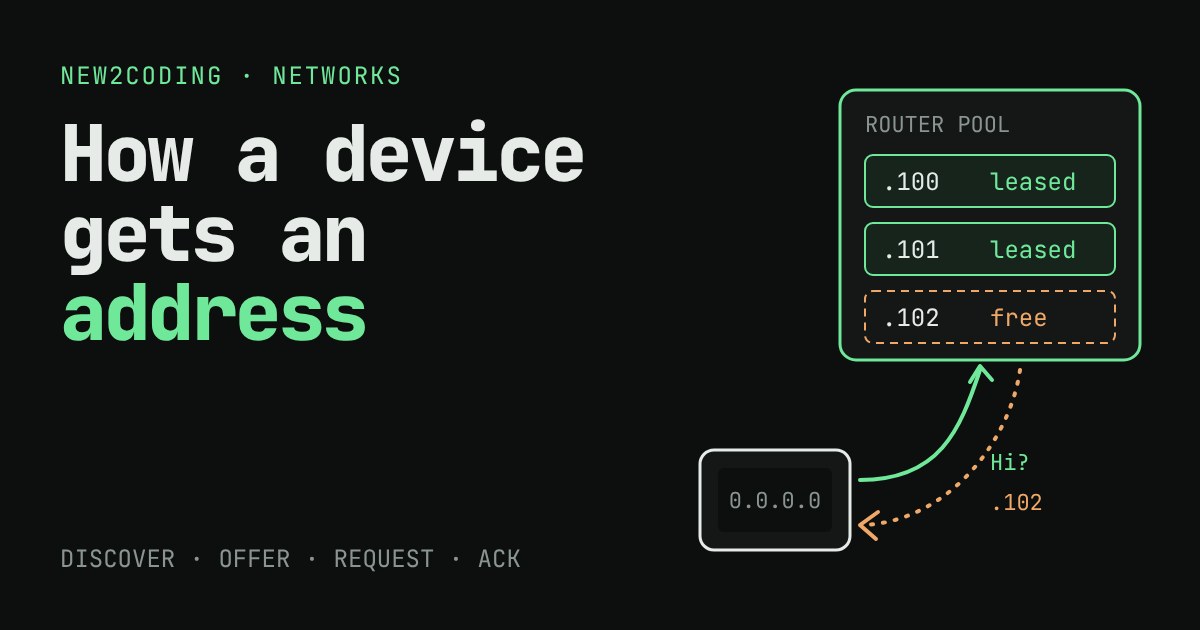
You walk into a café, tap the Wi-Fi name, and a second later the web works. You never typed an address, yet every device on a network needs a unique one. Who handed yours out, and what happens to it when you leave?
The problem: addresses can't be picked at random
Every device on a network needs an IP address, the number other machines use to send it data (for example 192.168.1.101). Two devices with the same address on the same network cause confusion, because replies could go to the wrong one. You could type an address in by hand on every device, but then you must remember which numbers are taken, and a guest's phone would never work without your help.
So networks use a small helper service called DHCP (Dynamic Host Configuration Protocol). In a home, the DHCP server usually lives inside your router. Its job is to keep a list of addresses it is allowed to give out (the pool) and to lend one to each device that asks.
Four messages: DISCOVER, OFFER, REQUEST, ACK
A device that has just joined has a puzzle: it wants to talk to the DHCP server, but it has no address and does not know the server's address. DHCP solves this by shouting to everyone on the local network. The conversation has four steps, often remembered as DORA:
- DISCOVER: the new device broadcasts "Is there a DHCP server out there?" It uses
0.0.0.0as its own address, since it has none yet. A broadcast is a message sent to every device on the local network. - OFFER: the server picks a free address from the pool and says "You could use this one."
- REQUEST: the device says "Yes, I would like that one." This is still broadcast, which also tells any other DHCP server on the network that its offer was not taken.
- ACK (acknowledgement): the server writes the deal in its records and confirms. The device can now use the address.
These messages travel over UDP, a simple way to send data that you can read about in our UDP article. The server listens on port 67 and the client on port 68. Along with the address, the ACK usually carries other settings the device needs: the subnet mask (which addresses count as local), the address of the router (the way out to the internet) and the address of a DNS server. That is why one tap on Wi-Fi sets up everything.
A lease, not a gift
The address is lent, not given. The server records it as a lease with a time limit, such as one hour or one day. If the device just vanishes (you walk out of the café with your phone in your pocket), it never says goodbye. Without a time limit, the address would stay reserved forever and a small pool would run dry.
A device that is still around renews its lease. By the standard (RFC 2131), the default is to try at half of the lease time (called T1), by asking the same server directly, and if that server does not answer, to try any server at 87.5% (T2). A successful renewal restarts the clock. A device that disappears simply stops renewing, the lease runs out, and the address returns to the pool.
Try it: a router with only three addresses
This router has a pool of three addresses and a one-hour lease. Four devices want to join. Click Join on each, watch the messages, then use Leave and the clock buttons to see what frees an address.
A sequence worth trying: join Laptop, Phone and TV, then Tablet (it is refused, the pool is empty). Let Phone leave, press +60 min, and join Tablet again. Phone's address came back because the lease ran out, not because anyone told the router.
The same logic in code
Here is the server's side as a tiny Python program. The pool holds three addresses, and a device that asks again gets the address it had before while its lease is valid:
import ipaddress

class Server:
    def __init__(self, network, first, last, lease):
        hosts = list(ipaddress.ip_network(network).hosts())
        self.pool = [h for h in hosts
                     if first <= int(str(h).split('.')[-1]) <= last]
        self.lease = lease
        self.leases = {}          # mac -> (ip, expires)

    def offer(self, mac, now):
        # forget expired leases
        self.leases = {m: l for m, l in self.leases.items() if l[1] > now}
        if mac in self.leases:
            return self.leases[mac][0]
        taken = {l[0] for l in self.leases.values()}
        for ip in self.pool:
            if ip not in taken:
                return ip
        return None

    def ack(self, mac, ip, now):
        self.leases[mac] = (ip, now + self.lease)
        return now + self.lease
Running it with four devices and one hour (3600 seconds) of lease time prints:
aa:01: DISCOVER -> OFFER 192.168.1.100 -> REQUEST -> ACK, lease until t=3600s
bb:02: DISCOVER -> OFFER 192.168.1.101 -> REQUEST -> ACK, lease until t=3600s
cc:03: DISCOVER -> OFFER 192.168.1.102 -> REQUEST -> ACK, lease until t=3600s
dd:04: DISCOVER -> no free address, no OFFER
t=3601s dd:04 asks again -> 192.168.1.100
The fourth device is refused until the first lease expires. Real servers are more careful, for instance they check that an address is not already in use, but the idea is the same.
The mac in the code is a MAC address, a number built into a device's network hardware. It is how the server recognises a returning device, and it is why your phone often gets the same address each time it rejoins your home Wi-Fi. (Some phones now use a random MAC per network for privacy, which changes that.)
So what, for your own code?
- Local addresses change. If you run a test server on your laptop and a phone connects to
192.168.1.101:3000, the address can differ tomorrow. Look it up again instead of hard-coding it. - "It worked yesterday" can be DHCP. After a router restarts or a lease expires, devices may get different addresses.
- Addresses that must stay fixed (a printer, a home server) are usually handled with a DHCP reservation in the router: it always hands the same address to that device's MAC.
- An address starting with 169.254 usually means a device asked for an address and got no reply from any DHCP server, so it gave itself one that only works locally.