languages/ruby-blocks-how-a-method-borrows-a-piece-of-your-code-and-runs-it-with.md
Ruby blocks: how a method borrows a piece of your code and runs it with yield
Ruby code is full of curly-brace chunks like `list.each { |x| ... }`. Who runs that chunk, and when?
This article follows a block from the moment you attach it to a method call to the moment the method says `yield`. You will see how values travel into the block, how a block can change a variable from the main program, and how `map` gets its answer back. Step through a small method one move at a time, change the block, and watch control jump between your code and the method.
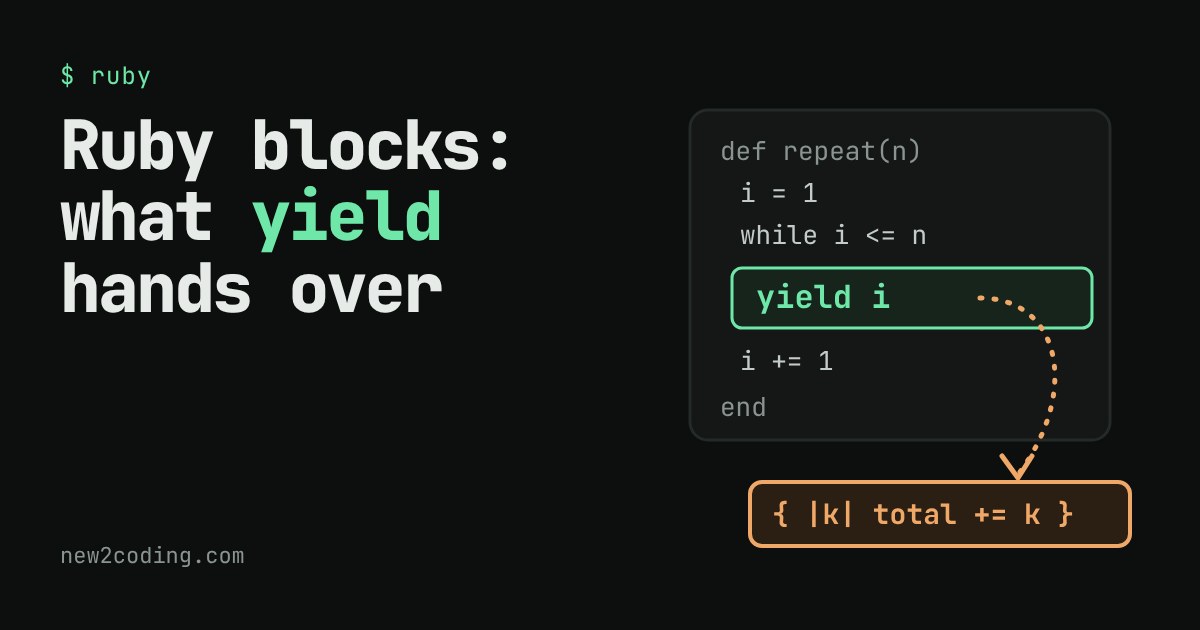
Open almost any Ruby program and you will meet a curly-brace chunk of code floating after a method name: 3.times { puts "hi" }, list.each { |x| ... }, list.map { |x| x * 2 }. That chunk is called a block. A beginner's natural question is: who runs it, and when? The method does, whenever it says yield. This article shows the exact hand-offs.
A method can borrow a piece of your code
Normally a method does its own fixed job. A block lets the caller attach extra instructions, and lets the method decide where to run them. Here is the smallest case:
def twice
  puts "before"
  yield
  puts "between"
  yield
  puts "after"
end

twice { puts "  hello from the block" }
Running it prints:
before
  hello from the block
between
  hello from the block
after
The method never knew what the block contained. It only knew when to call it. yield means: "pause me, go run the block that was attached to this call, then come back to the next line." Because the method wrote yield twice, the block ran twice.
Sending values into the block
A yield can carry values. The block receives them between two vertical bars, which are called block parameters:
def repeat(n)
  i = 1
  while i <= n
    yield i
    i += 1
  end
end

repeat(3) { |k| puts "  step #{k} squared is #{k * k}" }
step 1 squared is 1
step 2 squared is 4
step 3 squared is 9Each time the method reaches yield i, it hands the current value of i to the block, where it arrives under the name k. The two names do not have to match, and k only exists inside the block.
Watch the control jump back and forth
Below is the same repeat method with a tiny program around it. Press Step and watch the highlighted line. Notice who holds control: the main program, the method, or your block. Then change the block or the count, and step through again.
Why the block can see total
You probably noticed something in the demo: the block changes total, a variable that belongs to the main program, not to the method. A block remembers the variables that existed where it was written, and carries them along wherever it is called. Programmers call this a closure. That is why this works:
total = 0
repeat(4) { |k| total += k }
puts "total = #{total}"
total = 10The method repeat has no total of its own and never touches the main program's. The block does the updating, and the method only decides how many times it happens (1 + 2 + 3 + 4 is 10).
What yield gives back
A block hands a value back too: whatever its last expression evaluates to becomes the value of the yield expression. That is how Ruby's map works. Here is a small version of it:
def my_map(list)
  out = []
  list.each { |x| out << yield(x) }
  out
end

p my_map([1, 2, 3]) { |x| x * 10 }
[10, 20, 30]The method owns the looping and the collecting. Your block owns the one thing that differs from call to call: what to do with each item. Splitting the work this way is the whole point of blocks.
When there is no block
If a method says yield but the caller attached no block, Ruby has nothing to run and raises an error. A method can check first with block_given?:
def maybe
  return "no block given" unless block_given?
  yield
end

puts maybe
puts maybe { "block ran" }
no block given
block ranWithout that check, calling bad (a method that only does yield) with no block raises LocalJumpError: no block given (yield). The message reads oddly at first, but it means exactly what it says: the method tried to jump into a block that was never attached.
What to take away
When you read a line such as names.each { |n| puts n }, you can now picture the hand-offs: each takes control, walks the list, and for every item says yield; your block runs with that item, then control goes back to each. Three habits help from here. Look inside the braces (or do ... end) to see what the method is borrowing. Look at the names between the bars to see what it hands over. And when you write your own method that repeats, filters or collects, consider leaving the changing part to a block instead of copying the loop each time.