languages/python-default-arguments-why-a-function-remembers-the-last-call.md
Python default arguments: why a function remembers the last call
Call a small Python function twice and the second call remembers the first. The cause is a default value like `basket=[]`, which Python creates once, when the `def` line runs, and then reuses on every call.
Step through a live model of the function, watch the single shared list grow in `__defaults__`, then switch to the `None` pattern that gives each call a fresh list. You will also see why numbers and strings never cause this problem.
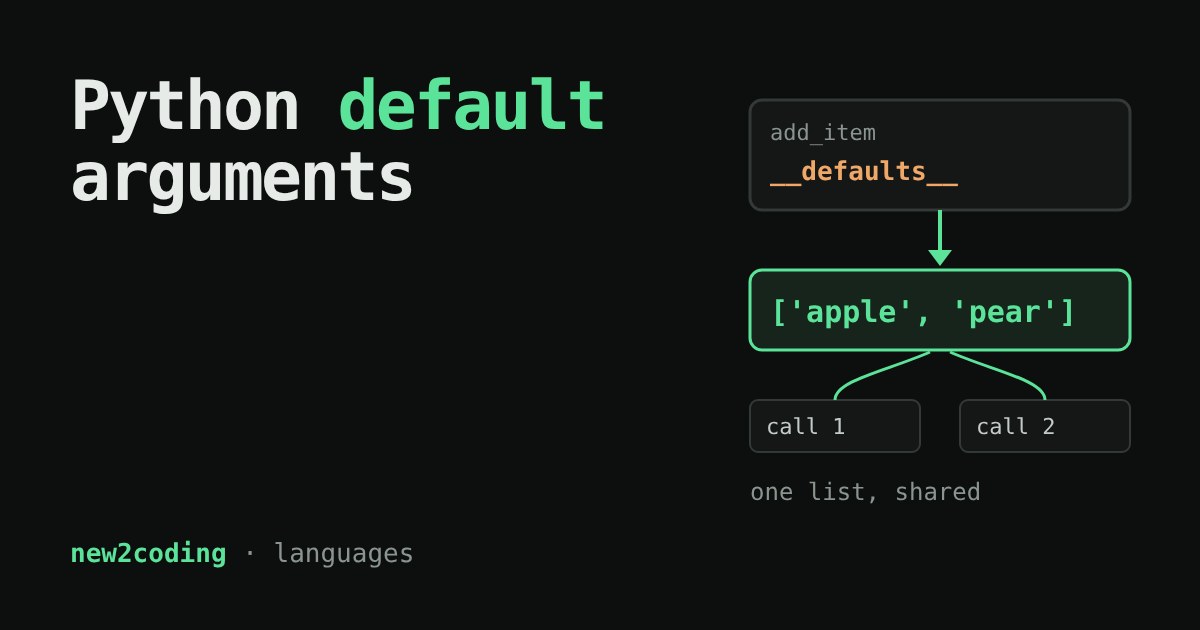
You write a small function that adds an item to a basket. You call it twice, and the second call hands back both items, even though you never passed the first one in. Nothing in your code looks wrong. This is one of the most famous surprises in Python, and once you see the mechanism it stops being scary.
The surprise
Here is the function. The part basket=[] is a default value: if the caller doesn't pass a basket, Python uses this one. A list is an ordered collection you can change after you create it, and [] is an empty one.
def add_item(item, basket=[]):
    basket.append(item)
    return basket

print(add_item("apple"))
print(add_item("pear"))
You would expect ['apple'] and then ['pear']. Running it with Python 3.13 prints this instead:
['apple']
['apple', 'pear']
The pear call did not start with an empty basket. It started with the basket the apple call left behind.
When the default is created
The key fact: Python evaluates default values once, when the def line runs, not each time the function is called. The def statement builds a function object, and the defaults are stored on it, in an attribute called __defaults__. Every call that skips the argument gets the same object from that slot.
You can look inside it:
print(add_item.__defaults__)
# after the two calls above:
(['apple', 'pear'],)
There it is. The "empty" list was never recreated. Each call used .append, which mutates (changes in place) that one list, so the change stays for the next caller.
Try it: watch the one shared list
The simulator below follows exactly what Python does with the two versions of the function. Pick a version, press the buttons in any order, and watch the box labelled __defaults__.
With basket=[], press apple, then pear: the number of items in __defaults__ grows and never resets. Pressing the fig button passes your own list, so the shared one is left alone. Now switch to basket=None and repeat. The defaults slot holds None forever, and every call builds a fresh list.
The fix: use None as a signal
None is Python's "no value here" value, and it cannot be changed, so sharing it is harmless. The usual pattern is to put None in the default and create the real list inside the function body, which runs fresh on every call:
def add_item(item, basket=None):
    if basket is None:
        basket = []
    basket.append(item)
    return basket

print(add_item("apple"))
print(add_item("pear"))
print(add_item.__defaults__)
Real output:
['apple']
['pear']
(None,)
We write is None rather than == None because is asks "is this the very same object?", which is the question we mean.
Why numbers and strings don't bite
You may have used defaults like step=1 or name="guest" with no trouble. Numbers, strings and tuples are immutable: they cannot be changed in place. Code like n = n + step makes a brand-new number and points the name n at it, so the stored default is never touched.
def bump(n, step=1):
    n = n + step
    return n

print(bump(5), bump(5), bump.__defaults__)
# 6 6 (1,)
The danger needs two ingredients together: a mutable default (list, dictionary, set) and code that changes it in place (append, update, add). Remove either one and you are safe. For example, a = a + extra builds a new list and leaves the default alone, while a.append(...) does not.
What to do in your own code
Whenever you type =[], ={} or =set() as a default in a function signature, stop and use None instead. Many code checkers will warn you about this too; for example, the linter Ruff has a rule for it. And if you ever see a function that remembers things between calls and you can't tell why, print its __defaults__. It takes five seconds and often shows the answer.
There is also a small upside. Because the default lives on the function, a mutable default can be used on purpose as a private cache. But that surprises other readers, so most people prefer a clearly named variable instead. As a beginner, treat the shared default as a trap to avoid, not a trick to use.