computers/time-slices-how-one-cpu-core-runs-many-programs-at-once.md
Time slices: how one CPU core runs many programs at once
Your computer runs far more programs than it has processor cores. How? The operating system's scheduler gives each program a short time slice, pauses it, and moves on to the next, so fast that everything seems to happen at once.
Play scheduler yourself in a live simulator: change the slice length, add work to a program, and compare slicing against letting one program hog the core. Then run a 15-line Python toy scheduler and see where it differs from a real operating system.
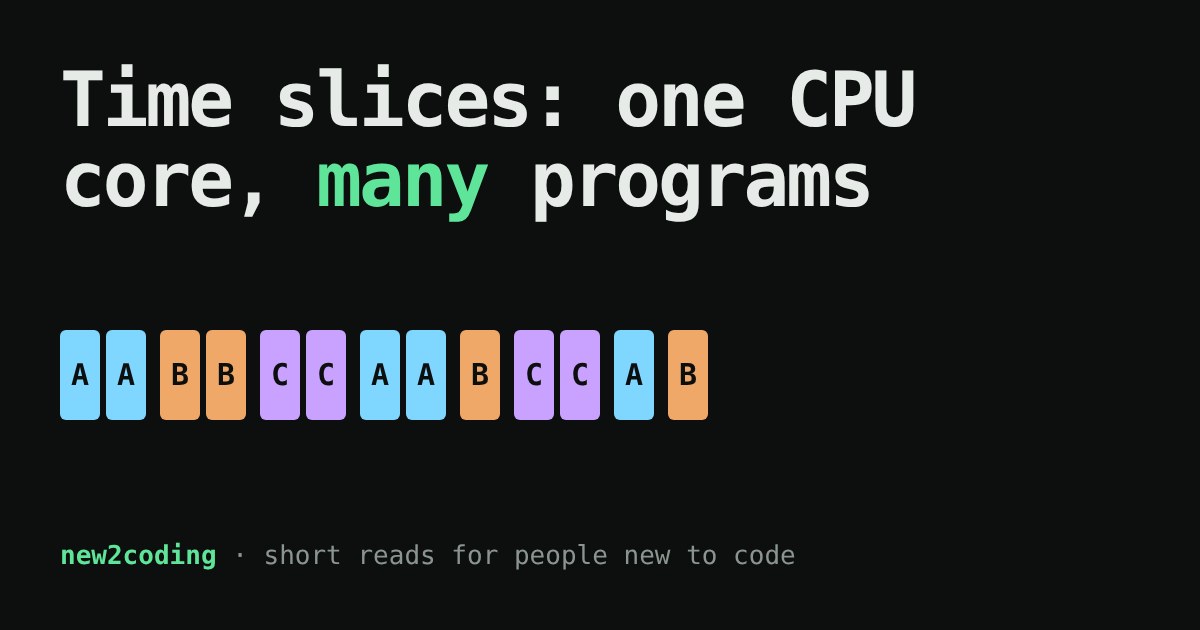
Right now your computer is probably running a browser, a music player, a chat app and dozens of background programs. Yet the processor inside it has a limited number of cores, and a core is one worker that can follow one list of instructions at a time. A laptop may have 8 cores and 300 things "running". How does that add up?
The trick: take very fast turns
The operating system (the OS, such as Windows, macOS, Linux, Android) contains a part called the scheduler. Its job is to decide which program gets a core next. It lets one program run for a short burst, pauses it, lets the next one run, and so on around the line.
A burst is called a time slice. Real slices are tiny, usually somewhere between a few and a few dozen milliseconds, depending on the OS and how busy the machine is. Switching that fast makes it look like everything happens at once, the way a film looks like movement while it is really a stack of still pictures.
What happens at a switch
A program in the middle of its work has a lot of private state: which instruction it is on, and the values it is holding in the core's tiny fast storage slots (registers). To pause it, the OS saves that state to memory. To resume another program, it loads that program's saved state back. Doing this is called a context switch.
A context switch is not free: the core spends time saving and loading instead of doing your work, and the core's caches (see the article on the CPU cache) may have to warm up again for the newcomer. That is why slices are not made absurdly short.
Try it: you are the scheduler
Below, three programs each have some work left, shown as blocks. Each tick of the clock, the core can do one block of work. Change the slice length and press Step or Run. Tap a program's name to add two more blocks of work to it. Then switch to "no time slicing" to compare.
With slicing on, every program gets its first turn within a few ticks, even the long one. With slicing off, the program at the front keeps the core until it is done, and the others wait. The total work is the same, so slicing does not make anything finish sooner overall. What it buys is responsiveness: the program you are typing into does not freeze just because another one is busy. Slicing also shows the cost: every extra context switch is a thick bar, and on a real machine each one costs some time in which no useful work happens (this simulator counts them but does not charge for them).
A toy scheduler you can run
Here is the same idea in about 15 lines of Python. Each "program" is a generator, a function that can pause at yield and continue later from the same spot, which stands in for the saved state. The scheduler gives each program slice_len steps, then sends it to the back of the line.
def program(name, steps):
    for i in range(1, steps + 1):
        yield f"{name} does step {i}"

def round_robin(programs, slice_len):
    queue = list(programs.items())
    while queue:
        name, prog = queue.pop(0)
        for _ in range(slice_len):
            try:
                print(next(prog))
            except StopIteration:
                print(f"{name} is finished")
                break
        else:
            queue.append((name, prog))   # slice used up: back of the line
            print(f"-- switch away from {name}")

round_robin({"A": program("A", 5), "B": program("B", 3)}, slice_len=2)
Output from running it (Python 3):
A does step 1
A does step 2
-- switch away from A
B does step 1
B does step 2
-- switch away from B
A does step 3
A does step 4
-- switch away from A
B does step 3
B is finished
A does step 5
A is finished
Notice A and B take turns, and B finishes while A still has a step left.
Where the toy differs from the real thing
Our programs politely stop when their slice is up. Real programs do not cooperate like that, and the OS cannot trust them to. Instead the hardware has a timer that interrupts the core at regular intervals. The interrupt forces control back to the OS, which can then decide to switch. This is called preemptive scheduling. Real schedulers also treat programs unequally: one waiting for a keypress is not using the core at all, and some tasks are marked more urgent than others.
Also, when a program waits for something slow, such as a file or a network reply, the OS does not waste its slice. It sets that program aside and runs another one until the answer arrives.
What this means for your own code
If your program feels slow, being "paused" by the scheduler is rarely the reason: with a few programs and several cores, each one gets plenty of time. But it explains some things you will meet soon. Why a program stuck in an endless loop can make a fan spin but does not freeze the whole computer: the scheduler still hands out turns to everything else. Why you can run more programs than you have cores. And why, later, when you learn about threads, work seems to "run at the same time" yet can be interleaved in a different order each run: the scheduler decides the order, not you.