tools/pipes-how-the-in-a-terminal-turns-small-commands-into-one-big-answer.md
Pipes: how the | in a terminal turns small commands into one big answer
How do you find the most popular page in a file of 15 million visits? In a terminal, you join small programs with the vertical bar `|`, called a pipe. Each program does one job, and the text one prints becomes the text the next reads.
This article explains what a pipe really connects, why `uniq` needs `sort` first, and why error messages skip the pipe. A mini terminal in the page lets you edit a pipeline and see the text leaving every stage.
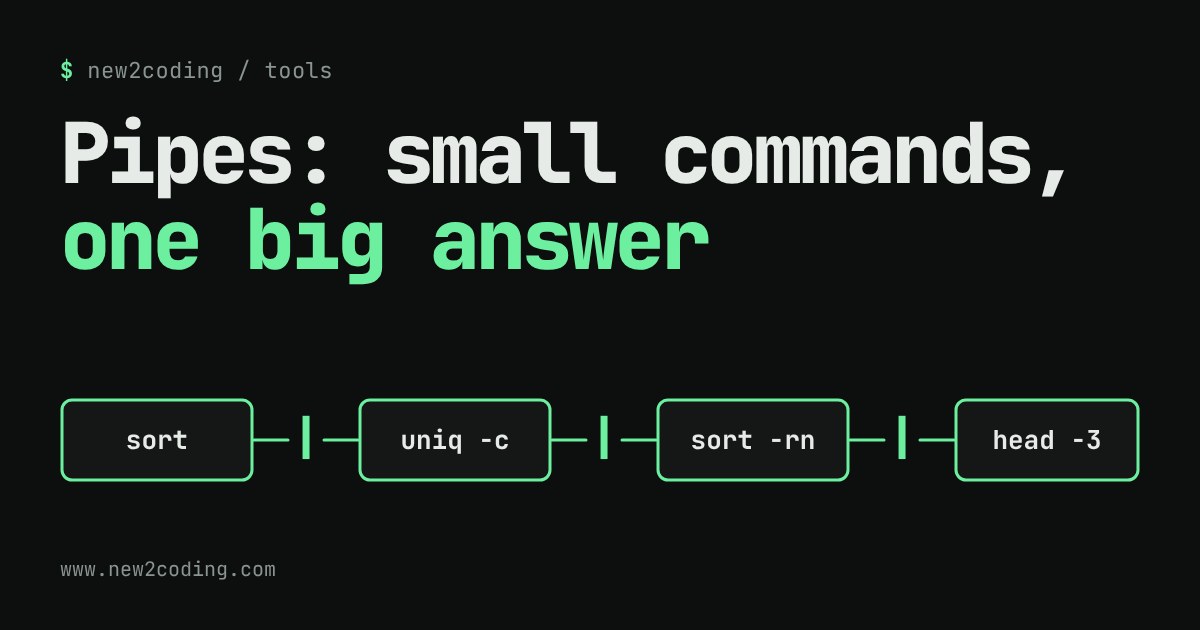
One job each, joined by a bar
Imagine a small text file called pages.txt. Every line is one page a visitor opened on a website: /home, /blog, /pricing and so on, 15 lines in all. Which page is the most popular?
You could open the file and count by eye. With 15 lines that works. With 15 million it does not. In a terminal (the text window where you type commands to your computer), you can answer the question with one line:
cat pages.txt | sort | uniq -c | sort -rn | head -3Run on this file, it prints:
      6 /home
      3 /pricing
      3 /blog
No single program here knows anything about websites. Each does one small job: cat reads a file, sort puts lines in order, uniq -c counts repeats, head -3 keeps the first three lines. The thing that joins them is the vertical bar |, called a pipe.
What the pipe actually does
Every command-line program has two default channels for text. Standard input (stdin) is where it reads from, and by default that is your keyboard. Standard output (stdout) is where it writes to, and by default that is your screen.
A pipe re-wires those channels. The | takes what the program on its left writes to stdout and hands it to the program on its right as stdin. The left program does not know a pipe exists; it just prints. The right program does not know where its text came from; it just reads. That is why small tools can be snapped together in orders their authors never planned.
In the example above, cat prints 15 lines, sort receives them and prints the same 15 lines in alphabetical order, uniq -c turns each run of identical neighbours into one line with a count in front, the second sort -rn orders those lines by that count (-n means "compare as numbers", -r means "biggest first"), and head -3 stops after three lines.
Why the order matters
Try tapping "uniq alone" above. Without the first sort, uniq -c gives this:
      1 /home
      1 /about
      1 /pricing
      1 /home
That is the start of 15 lines, each with a count of 1, and /home appears twice. The reason is that uniq only merges lines that sit next to each other. It compares each line only with the one before it and never looks further back, which keeps it fast and light even on huge input. Sorting first puts identical lines side by side, so uniq can do its job. In the box above, use the arrows to move the first sort after uniq -c and watch the counts fall apart.
This is the general lesson of pipes. Each stage sees only the text it is handed. If a stage is not doing what you expect, run the pipeline up to the stage before it and read the output. That is exactly what the boxes above show.
Three things that surprise people
The programs run at the same time
It is tempting to picture each command finishing before the next one starts. That is not how it works. The computer starts all of them together and text flows through as it is produced. You can see this with yes, a program that prints the letter y forever:
yes | head -3It prints three lines of y and finishes at once. If yes had to finish first, this would never end. Instead, head quits after three lines, and the system then stops yes for writing to a pipe nobody is reading. It is why you can pipe a giant file into head and get an instant answer.
Error messages skip the pipe
Programs have a second output channel, standard error (stderr), meant for complaints. A pipe only carries stdout. So this command:
ls nosuchfile | wc -lprints an error message from ls on your screen (the exact wording differs between systems) and then prints 0, because wc -l received no lines at all. The error went around the pipe, not through it.
Small differences between computers
The commands in this article come from a family that exists on Linux and macOS, but the details are not identical. Sorting order for capital letters and symbols depends on your language settings. The padding that uniq -c puts before each count can differ, and some versions of wc -l add leading spaces too. The ideas are the same everywhere; the exact spaces are not. The outputs shown here came from GNU coreutils 9.4 on Linux, with LC_ALL=C so that sorting is plain byte order.
Your own programs can join in
Anything that reads stdin and writes stdout can sit in a pipeline, including code you write. Here is a complete Python program, saved as shout.py:
import sys

for line in sys.stdin:
    print(line.strip().upper())
sys.stdin is Python's name for the input channel, and looping over it gives you one line at a time. Pipe the file through it:
cat pages.txt | python3 shout.py | head -2The output, using Python 3.13:
/HOME
/ABOUT
Your program does not open a file or ask where the text came from. It reads lines and prints lines, which is all a pipeline stage has to do. Programs written this way can be reused in ways you did not plan.
What to take away
When a job sounds big, ask whether it is really several small jobs in a row: filter, sort, count, trim. Write each one as its own stage, join them with |, and build the line one stage at a time, checking the output after each addition. Debugging works the same way: delete stages from the right until the output looks right, then you know which stage to look at.