networks/dns-lookups-why-a-website-is-slower-the-first-time-you-visit.md
DNS lookups: why a website is slower the first time you visit
Typing a name like www.example.com sets off a short chain of questions: a resolver asks a root server, then a .com server, then the domain's own server, before your browser gets an IP address.
That chain is why a site can feel slower the first time. Learn what a cache and a TTL are, then use a toy resolver to look up names, let time pass and watch which steps disappear.
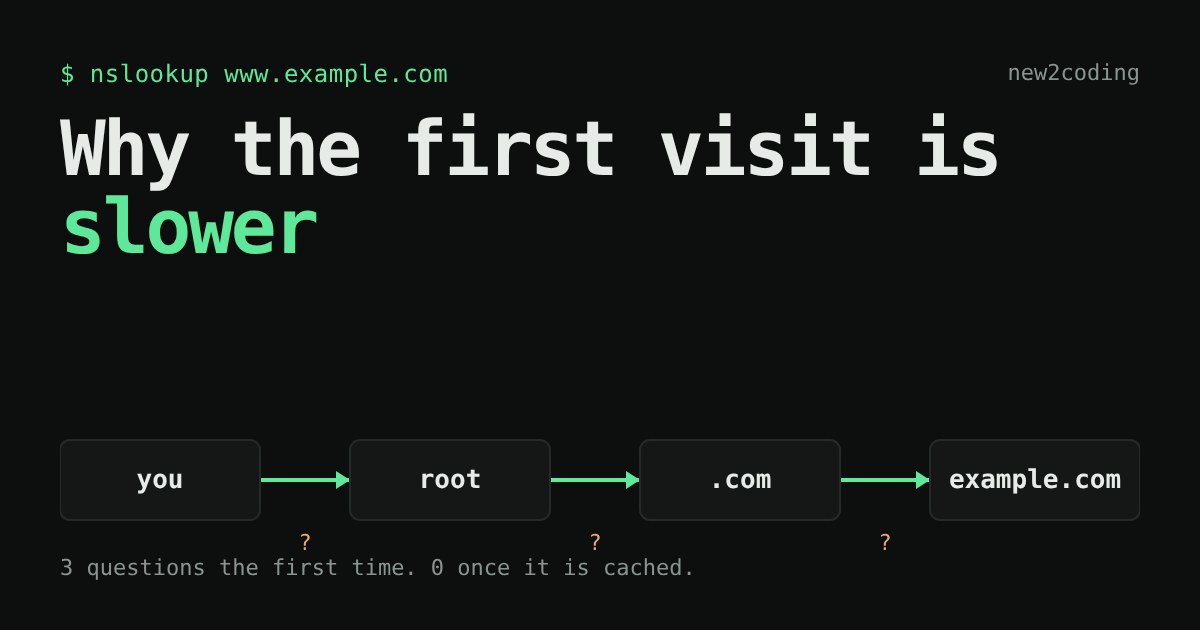
You type a name like www.example.com. Your computer needs a number, an IP address, to know where to send the request. Something has to turn the name into the number. That something is DNS, the Domain Name System, and it is a big part of why a website can feel slower the first time you visit and quicker the second.
A phone book that nobody owns
Think of DNS as a phone book. You know a name, you want a number. But there is no single book. The information is split across millions of computers, each one responsible for a small piece, and no computer holds all of it. So a lookup is really a short chain of questions.
Your device does not usually ask all those questions itself. It asks one helper, called the resolver. Your internet provider runs one by default, and public ones exist too. The resolver does the legwork and hands back the answer.
The chain, one question at a time
When the resolver knows nothing yet, it asks three kinds of server, each narrowing things down:
1. A root server. The resolver asks, "Where is www.example.com?" The root does not know. It only knows who looks after each ending, such as .com or .org (the ending is called the top-level domain), and it replies with the servers for .com. There are 13 named root server addresses, labelled a to m, and each one is run as many copies around the world.
2. A .com server. It does not know the address either, but it knows who looks after example.com, and points the resolver there.
3. The authoritative server for example.com. "Authoritative" means it holds the real answer, set by whoever owns the domain. It replies with the IP address.
That is three trips across the internet before your browser can even start loading the page. It is quick, tens of milliseconds, but it adds up.
Why the second time is faster: the cache
The resolver keeps a copy of what it learned. A saved copy is called a cache. Every answer comes with a TTL ("time to live"), a number of seconds saying how long the copy may be kept. When the time is up, the copy is thrown away and the question is asked again. The owner of a domain chooses the TTL: short if they want changes to spread fast, long if they want fewer lookups.
Here is the idea in a few lines of Python. The "servers" are just a dictionary, and the clock is a number we pass in, so the result is the same every run:
# A toy "phone book" the resolver can ask. Real DNS spreads this over many servers.
ANSWERS = {"www.example.com": "203.0.113.7"}
cache = {}          # name -> (address, time it expires)

def lookup(name, ttl=300, now=0):
    if name in cache and cache[name][1] > now:
        return cache[name][0], "from cache"
    address = ANSWERS[name]          # the slow trip to the real servers
    cache[name] = (address, now + ttl)
    return address, "asked the servers"

print(lookup("www.example.com", now=0))     # first time
print(lookup("www.example.com", now=100))   # 100 s later
print(lookup("www.example.com", now=301))   # after the 300 s are up
Running it prints:
('203.0.113.7', 'asked the servers')
('203.0.113.7', 'from cache')
('203.0.113.7', 'asked the servers')(203.0.113.7 is an address set aside for examples, so it is safe to use in teaching.)
Try it: a resolver you can poke
Below is a toy resolver. Pick a name and press Look up. Then look up the same name again. Then look up a different name under the same ending, and watch which steps disappear. Use the wait buttons to let the clock run and see copies expire. The times and TTLs are made up to show the idea; real ones vary.
Did you notice what happened with mail.example.com after www.example.com? The resolver already knew who looks after example.com, so it skipped the root and the .com server and went straight to the authoritative one. And www.example.org needed the root again, because the resolver had never heard of .org. Caches work in layers, and each layer saves a trip.
Other places that remember
Your resolver is not the only cache. Your browser keeps recent answers, and so does your operating system. That is why a site you visited a minute ago opens without any DNS wait at all. The first visit of the day to a rarely used site is the one that pays for the whole chain.
What this means for your own code
If you ever move a website to a new server, you change its IP address in DNS. Copies cached elsewhere keep the old address until their TTL runs out, so some visitors reach the new server and some the old one for a while. Developers often lower the TTL a day or two before a move for exactly this reason, then raise it again after.
And if a page seems slow only on the very first load, DNS is one of the usual suspects, along with making a connection and downloading the page itself. Your browser's developer tools (the Network tab) can show how long the lookup took for each request.
Recap
DNS turns names into IP addresses by asking a chain of servers: root, then the ending (.com), then the domain's own server. A resolver remembers answers for as long as their TTL allows, so repeated lookups skip most or all of the chain. Names are cheap to look up the second time because someone, somewhere, kept a copy.