security/two-factor-codes-how-your-phone-and-a-website-agree-on-6-digits.md
Two-factor codes: how your phone and a website agree on 6 digits
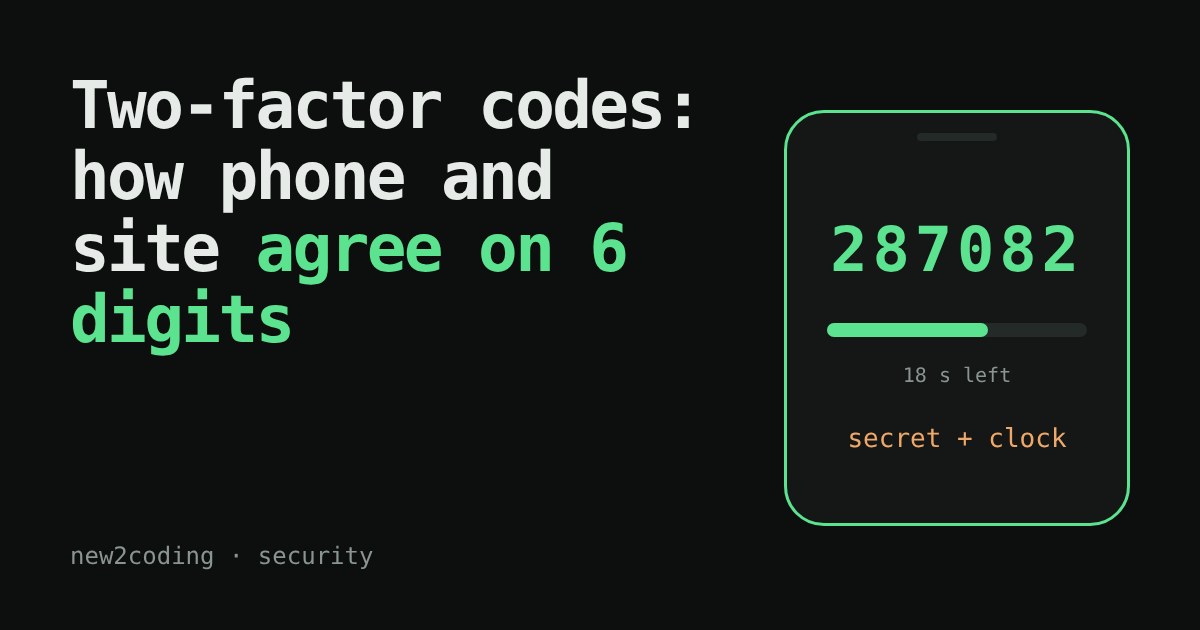
Your phone shows a 6-digit code that changes every 30 seconds, yet it never talks to the website. How do both sides agree on the number?
They run the same recipe on the same two inputs: a secret shared once through the QR code, and the current time cut into 30-second windows. This is TOTP. Step through it below, then see why a slightly wrong phone clock still works but a badly wrong one doesn't.
You type your password, then the website asks for a 6-digit code from an app on your phone. The code changes every 30 seconds. The phone is not talking to the website, and it may even be in airplane mode. So how does the website know which number your phone is showing?
The answer: both sides run the same recipe on the same two inputs, and a recipe fed identical inputs gives identical output. The recipe is called TOTP, short for Time-based One-Time Password. It is defined in a public standard, RFC 6238.
The two inputs
The first input is a secret: a long random value that the website and your phone both know and nobody else does. When you set up two-factor authentication, the website shows a QR code. That code is simply the secret, written so a camera can read it. You scan it once and the secret is stored in your app. After that, it never travels again.
The second input is the time. Computers count time as the number of seconds since 1 January 1970 (UTC), called Unix time. TOTP chops that count into 30-second windows by dividing by 30 and throwing away the remainder. The result is a whole number called the counter. Every second inside the same window gives the same counter, so your phone and the website agree on it even if their clocks differ by a few seconds.
The recipe, in four steps
The secret and the counter go into a keyed hash called HMAC. A hash function turns any input into a scrambled fixed-size fingerprint; HMAC mixes in a secret key so that only someone with the key can produce the right fingerprint. Most apps use HMAC with SHA-1, which gives 20 bytes. (SHA-1 is no longer trusted for some other jobs, but HMAC-SHA-1 is still considered sound for this one, and it is what authenticator apps commonly use.)
Twenty bytes is far too long to type, so the standard shrinks it:
1. Look at the last byte and keep only its lowest 4 bits. That gives a number from 0 to 15, called the offset. 2. Starting at that position, take 4 bytes. 3. Clear the very first bit, so the result is a positive 31-bit number. 4. Divide by 1,000,000 and keep the remainder. Pad with zeros on the left to get 6 digits.
Try it. Change the secret, slide the clock forward, and watch each step. The yellow outline marks the last byte that picked the offset; the green bytes are the four that became the code.
Why the codes still match when clocks disagree
Set the phone to "20 seconds fast" and slide through the window. Sometimes the phone has already moved into the next window while the website is still in the old one, so the codes differ for a few seconds. Real websites expect this, and many of them also accept the code from the window just before or just after the current one. That small allowance is why a phone that is a few seconds off still works, while a phone that is 5 minutes off does not. If your codes are rejected, the fix is often just turning on "set the time automatically" in your phone's settings.
The same recipe in Python
Here is the whole thing using only Python's standard library. The secret and times below are the official test values from RFC 6238, so you can check them against the standard yourself.
import hmac, hashlib, struct

def totp(secret: bytes, unix_time: int, digits: int = 6) -> str:
    counter = unix_time // 30
    msg = struct.pack(">Q", counter)             # counter as 8 bytes
    mac = hmac.new(secret, msg, hashlib.sha1).digest()
    offset = mac[-1] & 0x0F
    chunk = struct.unpack(">I", mac[offset:offset+4])[0] & 0x7FFFFFFF
    return str(chunk % 10**digits).zfill(digits)

secret = b"12345678901234567890"
print(totp(secret, 59))           # 287082
print(totp(secret, 1111111109))   # 081804
print(totp(secret, 1234567890))   # 005924
Running it prints 287082, 081804 and 005924. The RFC lists 8-digit versions of the same values (94287082, 07081804, 89005924), and the last six digits match. Notice the leading zeros: a code is text, not a number, which is why it is padded.
What this protects you from, and what it does not
A leaked password alone is no longer enough, because an attacker also needs the current code, which exists for about 30 seconds and cannot be worked out without the secret. That is a big gain for little effort.
It is not magic, though. If a fake website tricks you into typing your password and the code, the thieves can pass both to the real site within the 30 seconds. And anyone who copies the secret (for example from a screenshot of the QR code) can make valid codes forever. So treat the QR code like a password, and be careful about where you type codes. Some newer sign-in methods, such as passkeys, are designed to resist that fake-site trick.
Take-aways for your own code
If you ever add two-factor login to a project, use a well-tested library instead of writing your own. Store each user's secret carefully, since it is a credential. Compare codes in a way that allows for the neighbouring window, and limit how many wrong guesses are allowed, because there are only a million possible codes.