web/cookies-how-a-website-remembers-you-between-requests.md
Cookies: how a website remembers you between requests
The web forgets you after every request, so how does a site know you are still logged in? With a cookie: a small name and value the server asks your browser to keep, and your browser sends back on every later request.
Play with a simulated browser and server, see real output from a tiny Node.js server, and learn what HttpOnly, Secure and SameSite change.
The question
You log in to a website, click a link, and you are still logged in. That feels natural, but it is strange when you look at how the web works. Each time your browser asks for a page, it sends a request, and the server sends back a response. The server does not remember anything about the last request. This is called being stateless: every request arrives like a letter from a stranger.
So how does a website know that the second request came from the same person as the first? The answer is a small piece of text called a cookie.
How a cookie works
A cookie is a name and a value (like visits=1) that a server asks your browser to keep. There are only two steps:
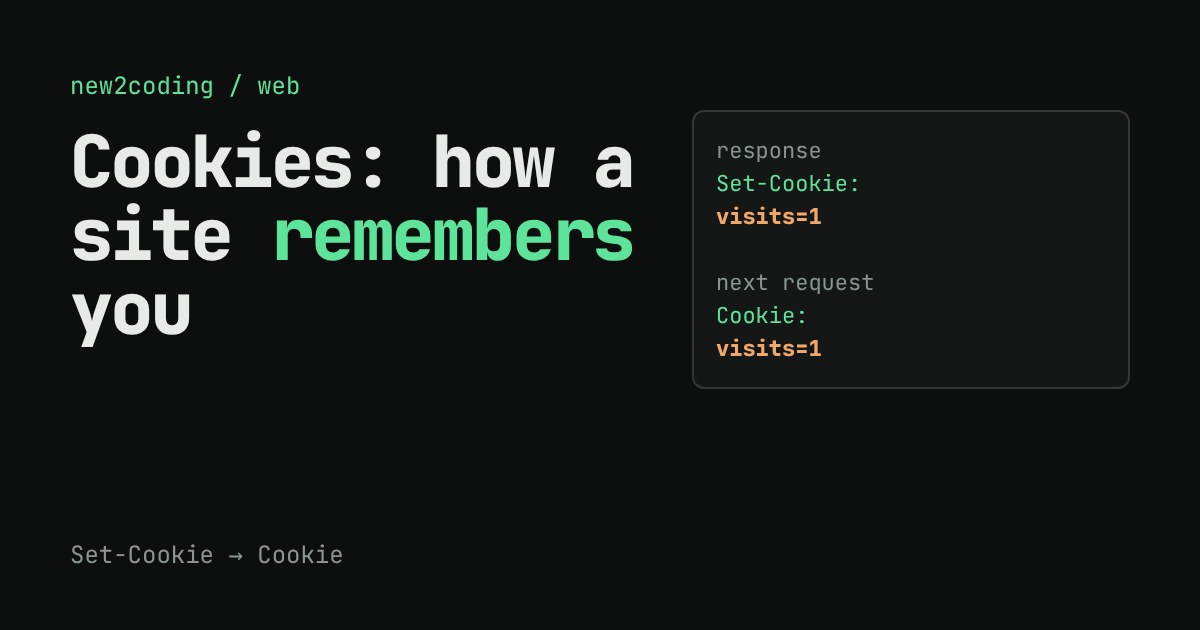
1. The server adds a header to its response: Set-Cookie: visits=1. A header is a labelled line of extra information that travels with a request or response, separate from the page itself.
2. The browser stores that cookie in its cookie jar. On every later request to the same site, the browser adds a Cookie: visits=1 header by itself. The server reads it and now has a memory.
The server is still stateless. It is the browser that carries the memory and hands it back each time. Try it:
The same thing in real code
Here is a tiny Node.js server that counts visits using a cookie. It stores nothing itself: it reads the number from the Cookie header, adds one, and sends the new number back.
const http = require('http');
http.createServer((req, res) => {
  const cookie = req.headers.cookie || '(none)';
  const m = /visits=(\d+)/.exec(cookie);
  const n = m ? Number(m[1]) + 1 : 1;
  res.setHeader('Set-Cookie',
    `visits=${n}; Max-Age=3600; HttpOnly; SameSite=Lax; Path=/`);
  res.end(`You sent Cookie: ${cookie}. This is visit ${n}.\n`);
}).listen(3000);
Running it and calling it with curl, using a file as the cookie jar, gave this real output:
You sent Cookie: (none). This is visit 1.
You sent Cookie: visits=1. This is visit 2.
You sent Cookie: visits=2. This is visit 3.
A warning for real sites: a counter like this is fine for learning, but you must never trust a cookie's value for anything important. The browser's owner can edit it. Real sites store a long random session ID in the cookie, and keep the actual data (who you are, what is in your basket) on the server, looked up by that ID.
The settings after the value
A cookie can carry extra settings, called attributes, after the value:
| Attribute | What it does |
|---|---|
Max-Age=3600 | Keep it for 3600 seconds, then delete it. Without Max-Age or Expires, it is a session cookie that the browser normally drops when it closes. |
HttpOnly | Scripts in the page cannot read it through document.cookie. The browser still sends it with requests. Try the checkbox above. |
Secure | Send it only over HTTPS, the encrypted version of HTTP. |
SameSite=Lax | Do not attach it to most requests started from other websites. This limits a trick where another site makes your browser act on a site you are logged in to. |
Path=/ | Which parts of the site get the cookie. / means all of it. |
As of 2026, major browsers treat a cookie with no SameSite setting as Lax, but it is clearer to write it yourself. A cookie is also small: browsers allow only about 4 KB per cookie, so it is for an ID, not for your data.
So what, for your own code
When you build a login, the safe default is a random session ID in a cookie marked HttpOnly, Secure and SameSite=Lax. And when something "remembers" you on the web, you can now see how: open your browser's developer tools, find the Application or Storage tab, and look at the cookies. Every one is just a name, a value and a few settings that a server asked your browser to keep.