web/css-specificity-why-your-style-is-ignored.md
CSS specificity: why your style is ignored
You write a style, reload the page, and the text is still the old colour. Nothing is broken: another rule is winning, and CSS decides with a precise method.
This article shows how to count specificity (ID, class, element), why one class beats any number of element names, and when order, inline styles, !important and cascade layers change the result. Then you try it yourself with seven real rules and watch the browser pick the winner.
You write color: red for a paragraph, save the file, reload the page, and the text is still blue. Nothing is broken. Another rule is simply winning, and CSS has a precise way of deciding which one. If you learn that method once, most "my CSS is being ignored" mysteries stop being mysteries.
Many rules, one winner
A web page can contain hundreds of CSS rules, and several of them often match the same element and set the same property. An element can only have one text colour at a time, so the browser has to choose. It makes the choice separately for every property of every element, using a process called the cascade.
For ordinary page styles the cascade asks a short list of questions in order. This article covers the three that matter most day to day: is any rule marked !important, how specific is each rule's selector, and if there is still a tie, which rule comes last in the file. (There is also a question about cascade layers, which we will meet near the end.)
How to count specificity
A selector is the part before the curly braces, such as p or .note. Its specificity is a score with three columns, which CSS writers often write as ID-CLASS-TYPE:
- ID column: one point for each
#idselector. - Class column: one point for each
.class, each attribute selector such as[type="radio"], and each pseudo-class such as:hover. - Type column: one point for each element name such as
pordiv, and each pseudo-element such as::before.
The universal selector * and the symbols that join selectors (a space, >, +, ~) add nothing. Scores are compared column by column from the left. A higher ID count beats any number of classes, and a higher class count beats any number of element names.
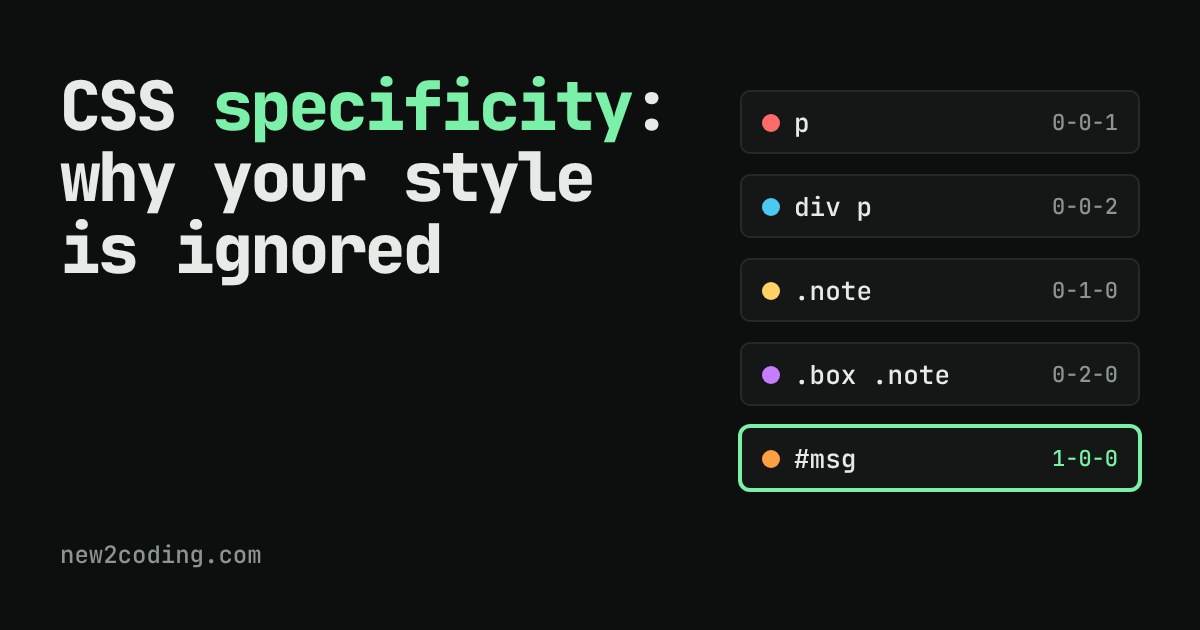
| Selector | Score | Why |
|---|---|---|
* | 0-0-0 | matches everything, adds no weight |
p | 0-0-1 | one element name |
div p | 0-0-2 | two element names |
.note | 0-1-0 | one class |
a:hover | 0-1-1 | a pseudo-class and an element |
.box .note | 0-2-0 | two classes |
p.note.urgent | 0-2-1 | two classes and an element |
#msg | 1-0-0 | one id |
p:not(#msg) | 1-0-1 | :not() takes the score of what is inside it |
:where(#msg) p | 0-0-1 | :where() always counts as zero |
So div p (0-0-2) loses to .note (0-1-0), even though it names two things. The class column is compared first, and 1 beats 0.
Try it: pick the winner
Here is a paragraph with the markup <p class="note urgent" id="msg"> inside a <div class="box">. Each row below is a real CSS rule that sets only the text colour. Tick rules on, predict the winner, then read what the browser decided. The ▲ and ▼ buttons move a rule earlier or later in the file. The ! button marks a rule !important.
Things worth trying: turn on only p and div p, and the 0-0-2 rule wins because two element names outweigh one. Turn on .note and p and see that one class beats the element name. Turn on .note and .box .note and the two-class rule wins. Then turn on .note and .urgent, which both score 0-1-0: the one lower in the list wins, and the ▲ and ▼ buttons swap the result.
Ties, inline styles and !important
When two rules have the same score, the one that comes later in the stylesheet wins. This is the only place where order matters, which is why reordering a rule that "does nothing" sometimes fixes it and sometimes does not.
A style written directly on the element, as in <p style="color: white">, beats every ordinary selector, whatever its score. In the demo it is the "inline style" row. The only things that can beat an inline style are an !important rule, or another !important.
An !important declaration beats every normal declaration, whatever the selector. If two important declarations clash, they are compared by specificity and then by order, exactly as before. That is why !important is a poor fix: the next person who needs to override it must also use !important and a score at least as high, and the file ends up as an arms race.
A surprise: inherited colour has no score at all
Some properties, including color and font-family, are passed down from parent to child when the child has no rule of its own. This is inheritance. An inherited value has no specificity, so any rule that matches the child directly beats it, however weak:
<div id="card"><p>Hello</p></div>

#card { color: gold; }   /* 1-0-0, but it targets the div */
p     { color: coral; }  /* 0-0-1, targets the paragraph itself */
The paragraph is coral. The #card rule has a high score, but it is a rule about the div. The paragraph only receives gold by inheritance, and a rule written for the paragraph itself always wins over that.
Cascade layers: choosing winners without scores
Modern CSS has a tool called cascade layers. You put rules inside @layer name { ... }, and when rules from different layers clash, the layer decides before specificity is even looked at. Rules that are not inside any layer beat rules inside layers (for normal, non-important declarations):
@layer base { #msg { color: coral; } }  /* 1-0-0, but in a layer */
.note { color: gold; }                  /* 0-1-0, no layer */
The paragraph is gold. Layers are how people tame third-party CSS: put a library inside a layer and your own plain rules win, with no tricks.
What to do with this
When a style is ignored, open your browser's developer tools (right-click, then Inspect), pick the element, and look at the Styles panel. Rules that lost are shown with a line through them, so you can see both what won and why. Then fix it by making the intended rule a fair fight rather than louder: prefer single classes over ids for styling, keep selectors short, put general defaults early and special cases later, and keep !important for the rare case where you truly cannot change the other rule.
A handy habit: if you can fix a problem by lowering the score of the rule that is winning, do that instead of raising yours. Scores that stay low keep the whole stylesheet easy to change.