web/why-is-my-css-ignored-specificity-scored-with-three-numbers.md
Why is my CSS ignored? Specificity, scored with three numbers
You write `p { color: red; }`, reload, and the text stays blue. The rule is fine: two rules are competing, and yours lost the contest.
The tie-breaker is called specificity, a score of three numbers (IDs, classes, element names) compared left to right. Edit three live selectors in a tiny page, watch the scores change, and see which rule the real browser picks.
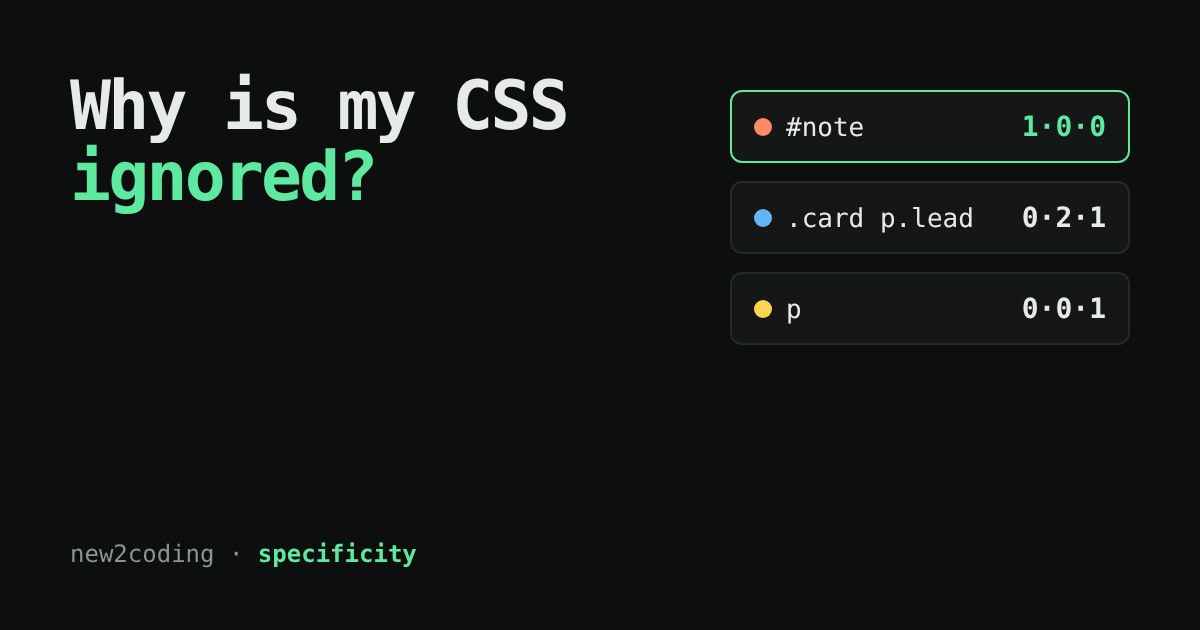
You wrote the rule. Why is the browser ignoring it?
Every beginner meets this moment. You write p { color: red; }, reload the page, and the text stays blue. The rule is not broken and the browser is not being stubborn. Two rules are competing for the same paragraph, and yours lost.
CSS stands for Cascading Style Sheets, and the "cascade" is the process that picks a winner when several rules want to style the same property of the same element. One of its tie-breakers is called specificity: a score that says how precisely a selector points at an element. A more precise selector beats a vaguer one, no matter which comes first in the file.
A selector is a score of three numbers
A selector is the part before the curly braces, such as p or .lead. To score one, count three kinds of pieces:
| Column | What counts | Example |
|---|---|---|
| IDs | ID selectors | #note |
| Classes | class selectors, attribute selectors, pseudo-classes | .lead, [type="text"], :hover |
| Types | element names and pseudo-elements | p, section, ::before |
Write the counts as three numbers, IDs first. So p scores 0·0·1, .lead scores 0·1·0, and section.card p.lead scores 0·2·2 (two classes, two element names).
Now the key rule: compare the columns from left to right, like comparing words in a dictionary. One ID beats any number of classes, and one class beats any number of element names. The columns do not carry over: ten classes never add up to one ID. The universal selector * and the symbols that join selectors (a space, >, +, ~) add nothing.
If two rules tie completely, the one written later in the stylesheet wins. That is the only moment where order matters.
Try it: three rules, one paragraph
The box below holds this tiny page. Edit any selector and watch the score and the winner change. The colour you see comes from the real browser, not from a pretend model, so it is the true winner.
What to notice
Start with the first preset. Rule 3, p, comes last, yet it loses to #note and section.card p.lead. Being later only helps in a tie. The third preset makes a tie on purpose (rules 1 and 2 both score 0·1·1), so the later one wins.
Press the second preset. Ten class selectors (here the same class repeated, which CSS allows) score 0·10·0, and a single #note still scores higher at 1·0·0. That is the "dictionary" comparison at work.
Tick the checkbox. A style="..." written directly on the element beats every selector. You can think of it as a score of its own, above the IDs.
Finally, the fourth preset uses :where(). Whatever is inside :where(...) counts as zero, which is handy for writing default styles that anything else can override easily. Its cousins :is() and :not() are different: they count as the most specific selector inside the brackets.
Reading the score yourself
Here is the whole calculation as a small program. It handles the common pieces only: IDs, classes, attributes, pseudo-classes, element names and pseudo-elements. It is a learning tool, not a full CSS parser.
function specificity(selector) {
  const count = { id: 0, cls: 0, type: 0 };
  const pieces = selector.match(/#[\w-]+|\.[\w-]+|\[[^\]]*\]|::?[\w-]+|[a-zA-Z][\w-]*/g);
  for (const piece of pieces) {
    if (piece[0] === "#") count.id++;
    else if (piece[0] === "." || piece[0] === "[") count.cls++;
    else if (piece.startsWith("::")) count.type++;
    else if (piece[0] === ":") count.cls++;
    else count.type++;
  }
  return [count.id, count.cls, count.type];
}

console.log(specificity("p"));                         // [0, 0, 1]
console.log(specificity("section.card p.lead"));       // [0, 2, 2]
console.log(specificity("#note"));                     // [1, 0, 0]
console.log(specificity('input[type="password"]:required')); // [0, 2, 1]
These outputs are real: the last example is the one the MDN documentation scores as 0-2-1.
So what do I do when my rule loses?
First, find out why. In your browser's developer tools (right-click the element, choose Inspect), the Styles panel lists every rule that matched, with the losers crossed out. Compare the selectors and you will usually spot the stronger one.
Then choose the calmest fix. Write a selector that is a little more specific, move your rule later if there is a tie, or lower the score of the stubborn rule if it is yours. Reaching for !important does win over normal rules, but it also makes the next fix harder, because now you need another !important to beat it. Treat it as a last resort.
A good habit: style with classes, keep selectors short, and avoid IDs for styling. Everything stays in the middle column, so rules stay easy to override, and order stays easy to reason about.