computers/deadlock-how-two-programs-can-wait-for-each-other-forever.md
Deadlock: how two programs can wait for each other forever
Two threads each hold one lock and wait for the other's. Neither can move, and the program just freezes without an error. This is a deadlock.
Step Ana and Ben through taking two locks in an order you choose, see exactly how they get stuck, and learn the one habit that prevents it: take locks in the same order everywhere. Includes real Python you can run.
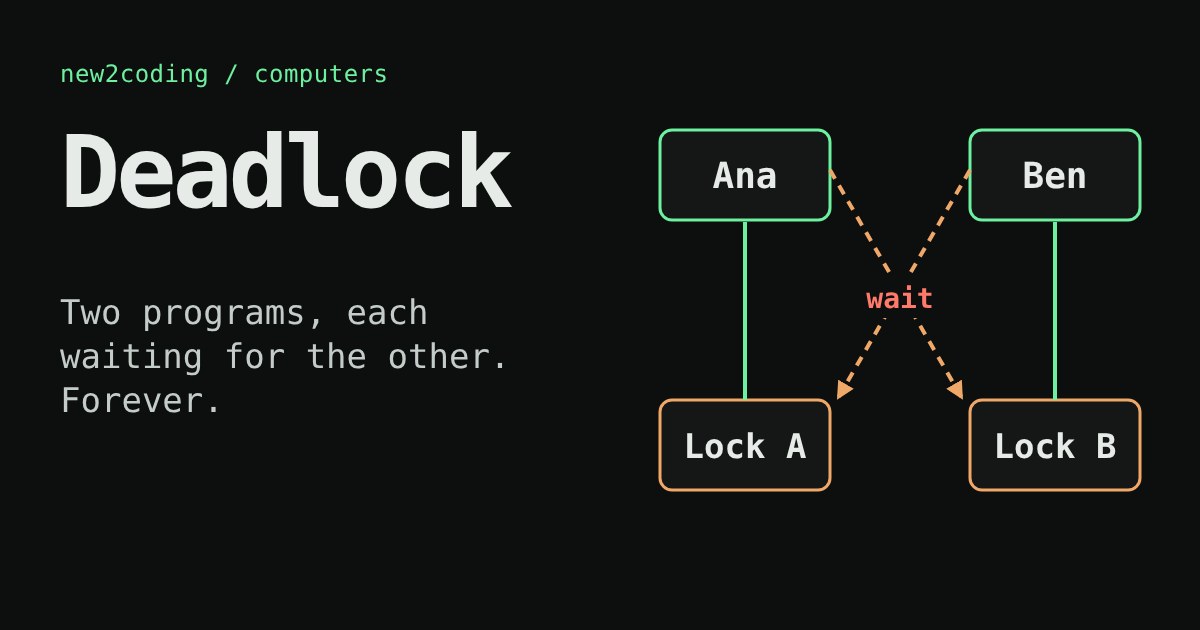
Two friends, Ana and Ben, share one pen and one ruler. Ana grabs the pen and waits for the ruler. Ben grabs the ruler and waits for the pen. Nobody is doing anything wrong, yet nothing will ever happen again. Programs can get into exactly this situation, and it has a name: a deadlock.
Why programs wait for things
A program can do several jobs at once by splitting them into threads, which are separate lines of work running side by side. Sometimes two threads would damage shared data if they touched it at the same moment (an earlier article showed two threads adding 1 to 5 and ending up with 6). The usual fix is a lock: a thread must hold the lock before it touches the data, and anyone else who asks for the same lock has to wait until it is released.
One lock is easy to reason about. Trouble starts when a job needs two locks, for example "take money out of account A and put it into account B". The job takes lock A, then asks for lock B. If another job is doing the same thing in the opposite direction, it holds B and asks for A.
Try it: you decide who moves
Below, each worker has to take two locks, then finish and put both back. Nothing moves until you press a button, so you control the timing. First press Ana takes a step once and Ben takes a step once, with Ben's order set to "B then A". Then reset and try "A then B".
With opposite orders, there is a way to get stuck: Ana takes A, Ben takes B, and now each one needs the lock the other is holding. With the same order, you cannot get stuck, whatever sequence of buttons you press. Whoever takes A first simply makes the other wait, and then finishes and lets go.
The four ingredients
Computer scientists found that a deadlock needs all four of these at once (they are usually called the Coffman conditions, after the 1971 paper that listed them):
| Ingredient | In the example |
|---|---|
| Only one holder at a time | A lock can belong to one worker only |
| Hold and wait | Ana keeps A while asking for B |
| No taking it away | Nobody can force Ben to give up B |
| A circle of waiting | Ana waits for Ben, and Ben waits for Ana |
Break any one of the four and a deadlock cannot happen. That gives you real tools.
Seeing it in real code
This Python program starts two threads that take the same two locks in opposite orders. To keep the program from freezing forever, the second request gives up after one second:
import threading, time

lock_a = threading.Lock()
lock_b = threading.Lock()
say_lock = threading.Lock()

def say(text):
    with say_lock:
        print(text)

def worker(name, first, second):
    with first:
        say(f"{name} holds its first lock")
        time.sleep(0.2)
        if second.acquire(timeout=1):
            say(f"{name} got both locks")
            second.release()
        else:
            say(f"{name} waited 1 second for the second lock and gave up")

t1 = threading.Thread(target=worker, args=("Ana", lock_a, lock_b))
t2 = threading.Thread(target=worker, args=("Ben", lock_b, lock_a))
t1.start(); t2.start(); t1.join(); t2.join()
One real run on Python 3.13 printed:
Ana holds its first lock
Ben holds its first lock
Ana waited 1 second for the second lock and gave up
Ben got both locks
Both threads grabbed their first lock during the 0.2 second pause, so each one was now asking for the other's lock. Ana's timeout ran out slightly first; when she gave up, her with block released lock A, and Ben's pending request for A succeeded. The exact ending can differ from run to run, because it depends on timing. That is one of the nastiest things about deadlocks: they may show up only some of the time.
If you replace acquire(timeout=1) with a plain with second:, there is no timeout, and the two threads can wait on each other forever. The program just hangs with no error message.
How to avoid it
The most common fix is to break the circle: make every piece of code take locks in the same agreed order. Here, "always A before B":
def worker(name):
    with lock_a:
        say(f"{name} holds A")
        time.sleep(0.2)
        with lock_b:
            say(f"{name} got both locks")
Run with two threads, this printed, every time I tried it:
Ana holds A
Ana got both locks
Ben holds A
Ben got both locks
Other ways to break the four ingredients exist too. You can use a timeout and retry, as in the example above, which breaks the "no taking it away" ingredient in spirit. You can hold only one lock at a time, which breaks hold and wait. Or you can put the shared work behind one single owner thread that handles requests one by one, so nobody needs two locks.
What this means for your own code
If a program freezes completely, with no error and no CPU use, and it uses threads or locks, suspect a deadlock. Look for any place where code takes a second lock while it already holds one, and check whether another place takes the same two in the other order. Databases hit the same problem with row locks, and many of them detect the circle and cancel one of the waiting transactions so the other can go on. Having a rule such as "locks are always taken in alphabetical order" is dull, and that is exactly why it works.