computers/virtual-memory-why-two-programs-can-use-the-same-address-without-clash.md
Virtual memory: why two programs can use the same address without clashing
Two programs can both use "address 4096" without ever touching each other's data. The trick is that the addresses a program sees are virtual: the hardware translates each one through a page table into a real spot in RAM.
This article builds a tiny page table you can play with, explains pages, frames and page faults in plain words, and shows the same address holding different values in two real Python processes.
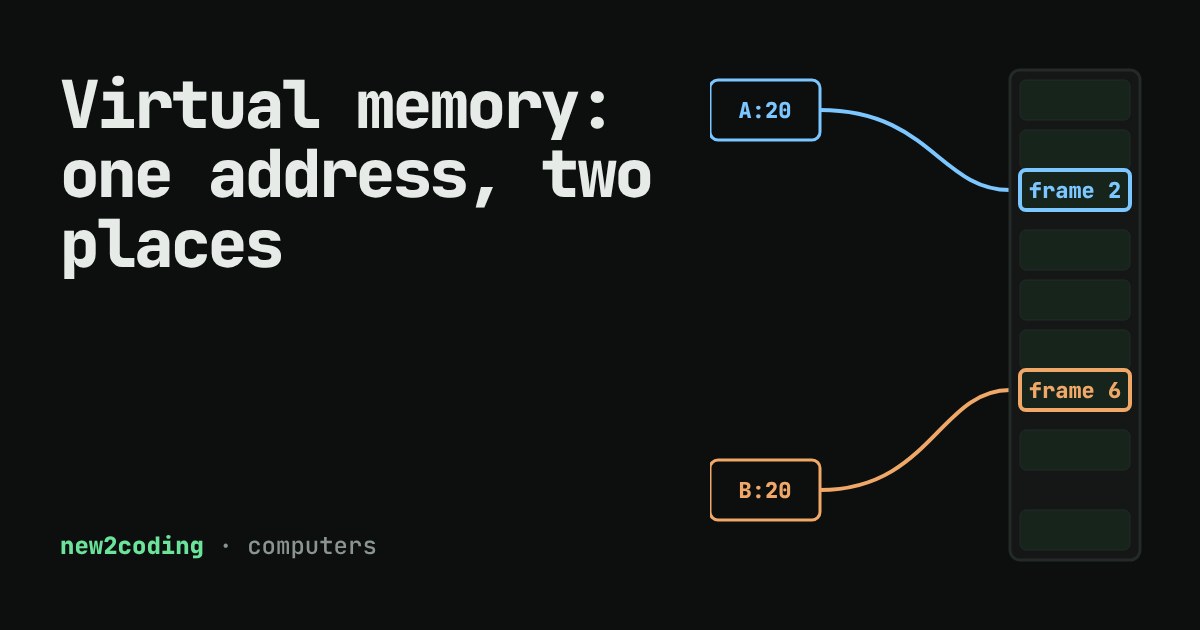
Open two programs on the same computer. Both might store a number at "address 4096". Neither one overwrites the other. How can two different things live at the same address?
The answer is that the address a program sees is not the address of a real memory chip. It is a made-up one, and the computer translates it behind the scenes. This idea is called virtual memory, and almost every computer you will ever use relies on it.
Two kinds of address
Your computer's RAM (random access memory, the fast short-term storage that holds running programs) is a long row of numbered bytes. A number that points at a real byte in that row is a physical address.
Programs never get to use physical addresses directly. Each program (a running program is called a process) gets its own private set of addresses, numbered from zero upwards, as if it had the whole machine to itself. These are virtual addresses. When the program reads virtual address 4096, a piece of hardware called the MMU (memory management unit) looks the address up in a table and swaps in the real one, many times per second, without the program noticing.
This gives you two things for free. Processes cannot trample on each other's memory, because their addresses lead to different places. And a program does not need to know where in RAM it actually sits.
Pages and frames
Translating every single byte separately would need an enormous table. So memory is cut into equal blocks. A block of virtual memory is a page; a block of real RAM of the same size is a frame. A common page size is 4 KiB (4096 bytes), though some systems, such as Apple Silicon Macs, use 16 KiB.
Each process has a page table, a list that says "page 0 lives in frame 5, page 1 lives in frame 2", and so on. To translate an address the computer splits it in two:
- the page number: which page the address falls in (the address divided by the page size, dropping the remainder), and
- the offset: how far into that page it is (the remainder).
It looks up the page number in the table to get a frame, then adds the offset back on. Here is that in a few lines of Python, using a tiny page size of 16 bytes so the numbers stay readable (real systems use 4096 or more):
PAGE_SIZE = 16            # toy size; real systems usually use 4096

def translate(page_table, virtual_address):
    page = virtual_address // PAGE_SIZE      # which page?
    offset = virtual_address % PAGE_SIZE     # how far into it?
    frame = page_table.get(page)
    if frame is None:
        return "page fault"
    return frame * PAGE_SIZE + offset

process_a = {0: 5, 1: 2, 3: 7}
process_b = {0: 1, 1: 6, 2: 0}

print(translate(process_a, 20))   # page 1, offset 4
print(translate(process_b, 20))   # same address, other process
print(translate(process_a, 40))   # page 2: A has no frame there
Running it prints:
36
100
page fault
Address 20 means page 1, offset 4 for both processes. Process A's page 1 sits in frame 2, so the real address is 2 × 16 + 4 = 36. Process B's page 1 sits in frame 6, giving 6 × 16 + 4 = 100. Same virtual address, two different places in RAM.
Try it yourself
Try address 20 for A, then for B. Then slide to 40 as process A. Process A has no frame for page 2 yet, which brings us to the interesting part.
When there is no frame: a page fault
A page table entry can say "no frame here yet". If a program touches such a page, the MMU cannot translate the address and raises a page fault, which hands control to the operating system. Despite the name, a page fault is often not an error. The operating system may find the data in a file or on disk, pick a free frame, fill it, update the page table, and let the program carry on as if nothing happened. This is how a computer can start a large program quickly: only the pages you actually touch get loaded.
If the address was never meant to be used at all, the operating system stops the program instead. On Linux and macOS that is the famous segmentation fault, and the program is ended. Press the button in the demo to play the part of the operating system.
Seeing it in real code
Python's id() gives an object's address in the running Python process, which is a virtual address. On Linux and macOS, os.fork() copies a process, so we can watch two processes use the same address:
import os

x = [1, 2, 3]
print("before fork: address", hex(id(x)))

pid = os.fork()            # copy this process (Linux and macOS)
if pid == 0:               # the child
    x.append(99)
    print("child : address", hex(id(x)), x)
    os._exit(0)
os.waitpid(pid, 0)
print("parent: address", hex(id(x)), x)
One run printed:
before fork: address 0x7f5105e0c4c0
child : address 0x7f5105e0c4c0 [1, 2, 3, 99]
parent: address 0x7f5105e0c4c0 [1, 2, 3]
The exact address changes from run to run, but the three lines always match each other. The child changed its list, yet the parent's list is untouched, even though both say the list lives at the same address. Two page tables, two different frames. (To keep forking cheap, the system first lets both processes share the same frames and only makes a private copy of a page when one of them writes to it.)
So what does this mean for your code?
- Addresses are not real places. Printing an address or pointer tells you about your process's private view, not about the chip. Never compare addresses across processes.
- A crash can be a missing page. A "segmentation fault" often means your program used an address that has no page behind it, usually a bug such as using a pointer after freeing it. Languages like Python protect you from most of this.
- Memory can seem to be more than you have. Because pages can be loaded on demand, or moved out to disk when RAM is full, programs can use more virtual memory than there is physical RAM. Moving pages to and from disk is much slower than RAM, which is why a computer that is "swapping" feels sluggish.
The next time you see a long hexadecimal address in an error message, remember: it is a name in your program's private numbering, and the hardware is quietly translating it every time you use it.