mobile/list-recycling-why-a-phone-can-scroll-10-000-contacts-while-building-o.md
List recycling: why a phone can scroll 10,000 contacts while building only 8 rows
A phone can scroll through 10,000 contacts without building 10,000 rows. It builds only enough row views to cover the screen, then recycles them: a row that scrolls off the top is refilled with the next item and moved to the bottom.
Scroll a live list, watch the same row tags show new names, and see one classic bug: a star that jumps to the wrong person.
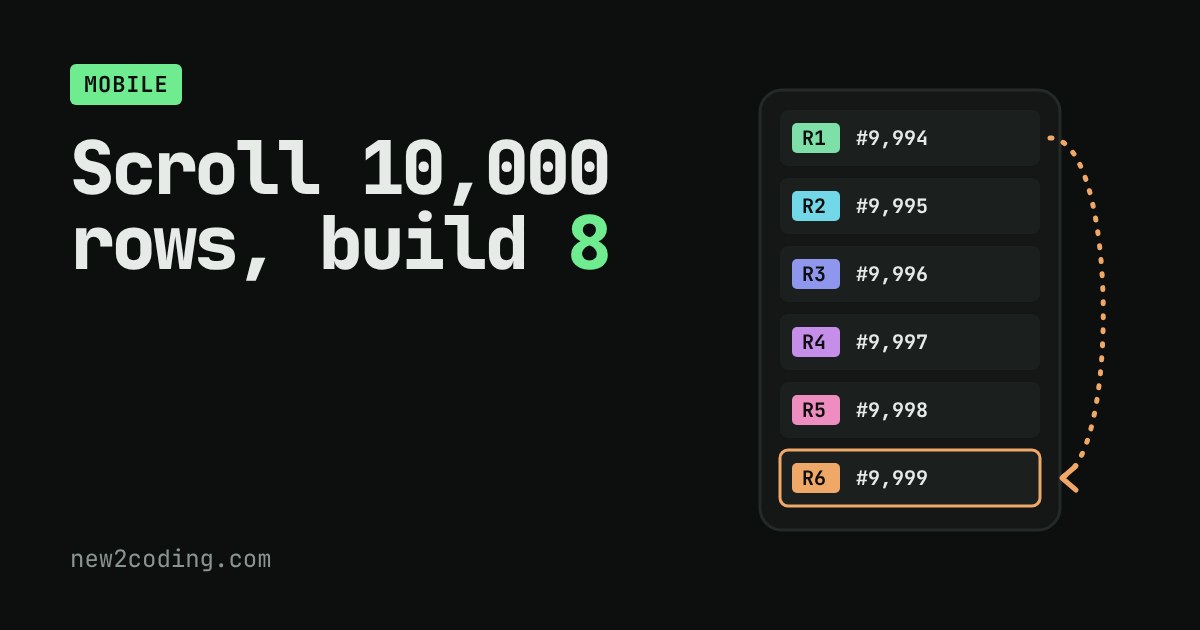
Open the contacts app on a phone and scroll. There might be 10,000 names in there, and the list still glides. Yet nobody is waiting for a computer to draw 10,000 rows. So how does a phone show a huge list without building a huge list?
A screen only has room for a few rows
A row on screen is a small view: a text label, maybe a picture, maybe a button, all laid out and ready to be drawn. Creating a view costs time and memory, because the phone has to build the objects and work out where everything sits.
A phone screen shows roughly six to fifteen rows at once. Rows far below the screen cannot be seen, so building them is wasted work. And a row that has scrolled off the top is gone from sight, so it is wasted too, unless it can be put to use again.
The trick: reuse the rows that fall off
Phones use a simple idea called recycling. The list builds just enough row views to cover the screen, plus a few spare. When you scroll and the top row slides out of sight, the phone does not throw it away. It moves that same row to the bottom, then binds it to the next item, which means it overwrites the row's text with that item's data. Same row, new contents.
Try it. The coloured tag on each row (R1, R2 and so on) is the identity of the row view itself. The text is the data it is currently showing. Scroll, and watch the same tags show different names.
However far you go, even to item 10,000, the number of row views built stays the same. The "no recycling" number grows as you reach further down, because without reuse every item you passed would have needed its own row.
The same idea in a few lines
This is a toy version in JavaScript. The pool holds spare rows. bind takes a spare row if one exists, and only builds a new one when the pool is empty.
const items = Array.from({ length: 10000 }, (_, i) => "Contact " + (i + 1));
const VISIBLE = 8;
const pool = [];
let created = 0;

function bind(i) {
  let row = pool.pop();                    // reuse a spare row if there is one
  if (!row) { row = { id: ++created }; }   // otherwise build a new one
  row.text = items[i];                     // fill it with this item's data
  return row;
}

let
for (let i = 0; i < VISIBLE; i++) onScreen.push(bind(i));

for (let first = 1; first <= items.length - VISIBLE; first++) {
  pool.push(onScreen.shift());                       // top row scrolls away
  onScreen.push(bind(first + VISIBLE - 1));          // reuse it at the bottom
}

console.log("items:", items.length);
console.log("row objects created:", created);
console.log("last row shows:", onScreen[VISIBLE - 1].text);
Running it prints:
items: 10000
row objects created: 8
last row shows: Contact 10000
Ten thousand items, scrolled from the first to the last, and only eight row objects were ever built. Real lists keep a few more spare rows so scrolling stays smooth, but the idea is the same.
What it is called on real phones
On Android, the list component is RecyclerView. Its documentation says that when an item scrolls off the screen it does not destroy the view, and instead reuses it for new items that scroll on. You write two jobs: onCreateViewHolder() builds a new row, and onBindViewHolder() fills a row with one item's data. On iPhone, UITableView keeps a queue of reusable cells, and your code asks for one with dequeueReusableCell(withIdentifier:). Each row type has a reuse identifier, a name that says which kind of cell can stand in for which. Newer toolkits such as Jetpack Compose's LazyColumn also build only the items visible in the viewport, though the details differ from this classic picture.
The classic bug: a star that jumps to another person
Recycling has one trap that catches almost everyone once. A reused row still remembers whatever it showed before. If your fill-in step sets the text but forgets to set the star, the star keeps its old state, and it now sits next to a different person.
Reproduce it in the figure above: tick the star on the first contact, untick the "correct way" box, then scroll down. A row far below will show a star you never placed on it. The star belongs to the row view, and the row view has moved. The fix is the box you unticked: every time a row is filled, set every part of it from the data, including the star, and when the user ticks it, write the change to the data, not only to the row.
What this means for your own code
Treat a row as a puppet, not as the item. The item lives in your data. The row is a window that is pointed at one item for a moment and then pointed somewhere else. Keep anything the user can change (ticks, typed text, which one is selected) in the data, and have the fill-in step rebuild the whole row from it every time. If a list ever shows a stray tick, an old picture or the wrong colour after scrolling, a row was reused and one part of it was not reset.