mobile/how-does-a-push-notification-find-your-phone-when-the-app-is-closed.md
How does a push notification find your phone when the app is closed?
A push notification does not come from your app. Your phone keeps one connection to a service run by Apple or Google, and your app's server hands that service a message addressed to a device token.
This article follows the message hop by hop, explains what happens when the phone is offline (storing, expiry, merging), and lets you try the rules in a small simulator.
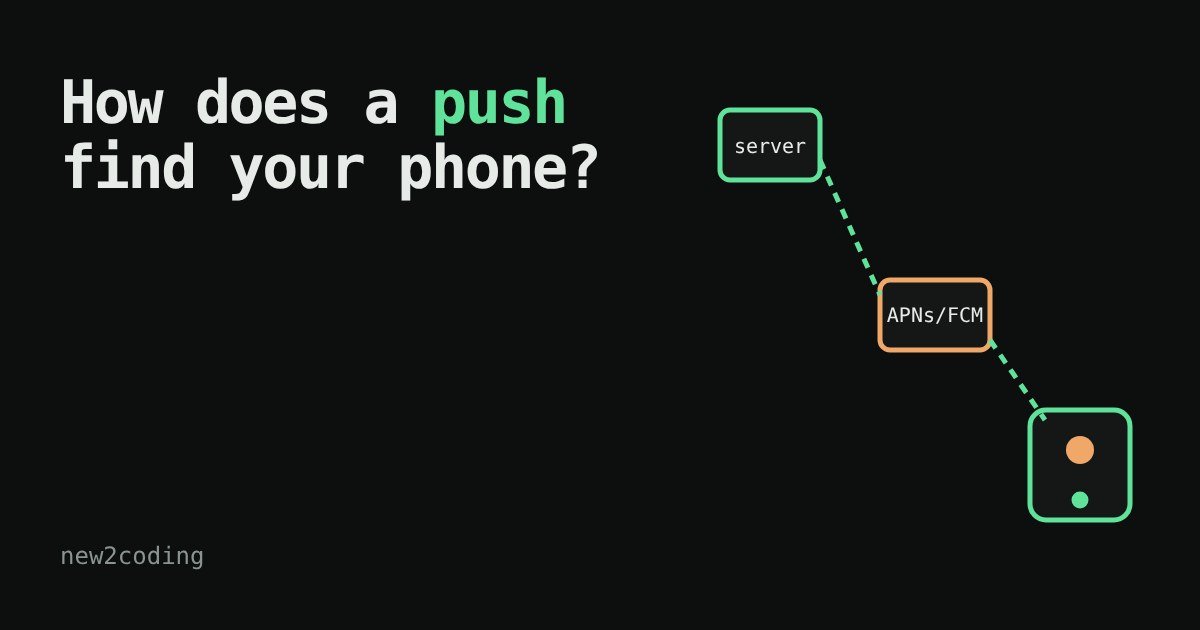
Your phone buzzes: "Your order is on its way." Yet the app was closed, and the phone was in your pocket. How did the message find you? The app did not "call" your phone, and your phone was not constantly asking the app's server "anything new?". Something in the middle did the job. This article follows a push notification (a short message a server sends to a phone without the app asking for it) from the app's server to your screen.
The problem: your phone is hard to reach
A web server has a fixed address, so you can send it a request any time. A phone is the opposite. It moves between Wi-Fi and mobile data, its internet address keeps changing, and it often sits behind networks that refuse incoming connections. Its battery is also precious. If every app on your phone kept its own connection open to its own server, the battery would drain quickly.
So phones use a shared solution: one connection, kept open by the operating system, to a service run by the phone's maker. On iPhones this is Apple's APNs (Apple Push Notification service). On Android phones with Google services it is Google's FCM (Firebase Cloud Messaging). Every app on the phone shares that single connection.
The journey, step by step
Here is the whole path, in order:
1. Registering. When an app starts, it asks the operating system for a device token: a long random-looking string that identifies this app on this phone, to the push service. The app sends the token to its own server, which stores it, much like saving a phone number.
2. Sending. Later, the app's server decides to notify you. It does not talk to your phone. It sends an ordinary web request (HTTPS) to APNs or FCM that says, in effect, "deliver this message to this token".
3. Delivering. The push service knows which open connection belongs to that token, and pushes the message down it. Your operating system receives it and shows the banner, even if the app is not running.
Here is what a request to FCM can look like. It is just JSON, and it has to stay small: both services limit the payload to about 4 KB (Apple documents 4096 bytes). This one I measured: 174 bytes.
{
  "message": {
    "token": "DEVICE_TOKEN_HERE",
    "notification": {
      "title": "Score: 2-0",
      "body": "Goal in the 61st minute"
    },
    "android": {
      "ttl": "86400s",
      "collapse_key": "score"
    }
  }
}
Two settings in there matter a lot, and the next section is about them: ttl and collapse_key.
What if the phone is switched off?
The push service does not give up. It acts as a post office: it stores the message and delivers it when the phone reconnects. But it does not store forever.
TTL ("time to live") says how long a message is still worth delivering. Google's documentation says FCM's default is four weeks and the maximum is 28 days; a TTL of 0 means "deliver now or never". Apple's equivalent is the apns-expiration header, and APNs may keep a message for 30 days or less. A pizza discount for tonight should have a short TTL, because showing it three days later is just confusing.
Collapsing merges messages that replace each other. A live score is a good example: if you were offline for an hour and five score updates arrived, you only want the latest. In FCM, a message with the same collapse_key as one that is still waiting replaces it. Apple's apns-collapse-id does a similar job, and APNs stores only one notification per app on a device that is offline in any case.
Try it yourself. The widget below is a simplified model, not the real services, but it follows these rules.
The same idea in code
Here is a tiny Python version of the waiting room. It is a toy, not how Google or Apple build theirs, but it has the same two rules. I ran it, and the output is real:
queue = []
DAY = 24 * 3600

def send(token, text, ttl_days, collapse_key=None, now=0):
    if collapse_key:
        queue[:] = [m for m in queue
                    if not (m["token"] == token and m["key"] == collapse_key)]
    queue.append({"token": token, "text": text, "key": collapse_key,
                  "expires": now + ttl_days * DAY})

def phone_comes_online(token, now):
    delivered = [m["text"] for m in queue
                 if m["token"] == token and m["expires"] > now]
    queue[:] = [m for m in queue if m["token"] != token]
    return delivered

send("phone-A", "Pizza is 20% off", ttl_days=1, now=0)
send("phone-A", "Score: 1-0", ttl_days=28, collapse_key="score", now=0)
send("phone-A", "Score: 2-0", ttl_days=28, collapse_key="score", now=3600)
print(phone_comes_online("phone-A", now=3 * DAY))
Output:
['Score: 2-0']The pizza offer expired after one day, and the first score was replaced by the second.
Why this matters for your own app
Three things follow from the design. First, your server needs to store device tokens, and tokens can change or stop working, so a good server removes tokens that the push service reports as invalid. Second, the push service is "best effort": a notification may be late, merged or dropped, so never put something critical only in a notification. Third, the notification should carry little: a short text, or a hint like "new message" after which the app fetches the real content itself. Also remember that on a phone the person decides: both iOS and Android let people turn notifications off per app, so ask when it makes sense, and send only what is useful.