mobile/offline-sync-what-happens-when-two-phones-edit-the-same-contact.md
Offline sync: what happens when two phones edit the same contact
You edit a contact's phone number on a plane. Your partner fixes the city on a tablet. Both devices are offline, then both reconnect. Which copy is right?
This is the core problem of offline sync. Try three conflict rules on two phones: newest save wins for the whole card, newest save wins per field, and comparing against the shared starting copy. Watch which edits survive, which are silently lost, and when the app should ask a person instead of guessing. Includes Node.js code that runs as written.
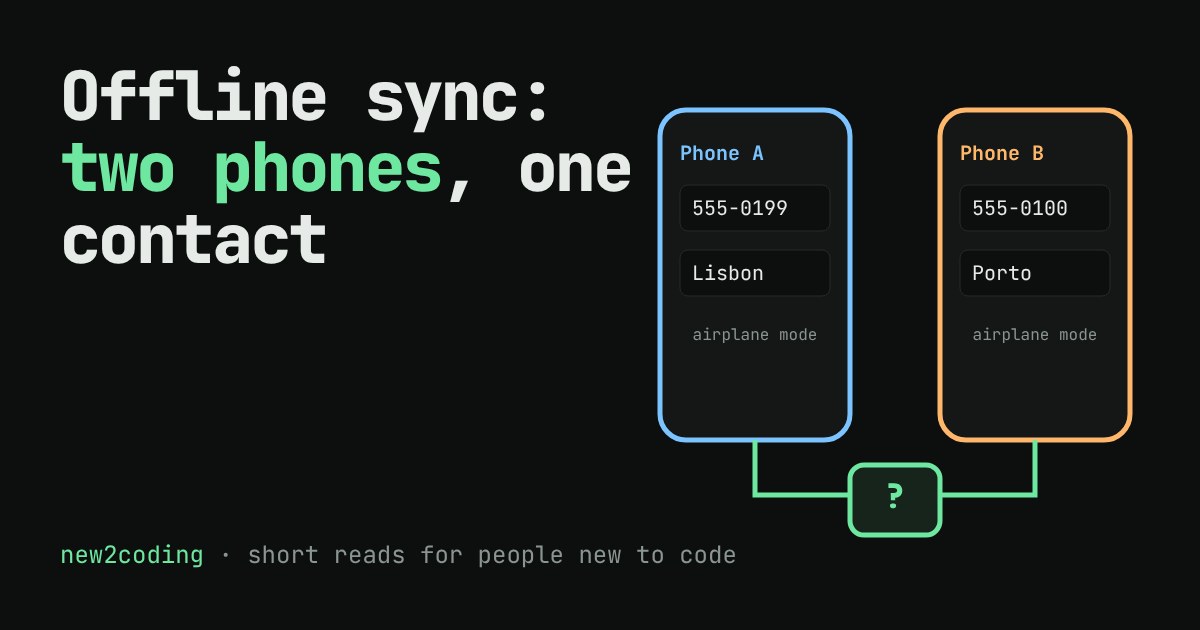
You change a contact's phone number on your phone while you're on a plane. Your partner fixes the same contact's city on their tablet at home. Neither device has a connection. An hour later both come back online. Which version is right?
Neither, and both. This is the heart of offline sync: when several devices keep their own copy of the same data and edit it separately, the app needs a rule for combining the copies. That rule is called conflict resolution, and a bad one quietly deletes someone's work.
Why there are copies at all
An app that waited for the internet before every tap would feel broken on a train or in a lift. So many apps save your change on the phone first, and send it to the server later. Now the phone and the server each hold a copy, and the copies can drift apart. A sync is the moment they are compared and made the same again.
If only one copy changed, syncing is easy: copy the new one over the old one. The trouble starts when both changed since the last sync. That is a conflict.
Strategy 1: the newest save wins
The simplest rule is last write wins: compare the time each phone saved, keep the newer version, throw away the other. It is easy to build and always gives one answer. The catch is what counts as "a version". If it is the whole card, then the phone that saved last replaces everything, including fields the other phone changed and this one never touched.
Strategy 2: compare against the shared starting point
A better question is: what did each phone actually change? To answer it, keep the copy both devices started from, called the base. Then for each field, ask who changed it relative to the base.
If only one phone changed a field, take that change. If neither did, keep the base. If both changed the same field to different values, nobody can know which is right, so the app flags a clash and lets a person choose. Git works in a similar way when it merges two branches using their common ancestor, which is why it can say "conflict in this file" instead of silently picking a side.
Try it: two phones, one contact card
Both phones below start with the same card. They are in airplane mode, so edits stay local. Edit a field on either phone (or press a scenario button), choose a rule, then press Reconnect and sync. Watch which edits survive.
What the demo shows
In the different fields scenario, phone A changed the phone number and phone B changed the city. Under "whole card", B saved last, so B's card wins and A's new phone number is lost. Nobody saw an error. Under the other two rules both edits survive, because the changes did not overlap.
In the same field scenario, both phones changed the phone number. The two per-field rules differ here: "newest save wins" keeps B's number and silently drops A's, while "compare with the base" refuses to guess and asks. Which is better depends on the data. For a "last opened" timestamp, newest wins is fine. For a medical dose, asking is safer.
The same idea in code
This runs as written in Node.js. The first rule keeps the newest card; the second compares each field with the base.
const base = { phone: "555-0100", city: "Lisbon" };
const a = { phone: "555-0199", city: "Lisbon", savedAt: 1 }; // A edits the phone
const b = { phone: "555-0100", city: "Porto",  savedAt: 2 }; // B edits the city, later

// Rule 1: the whole card from the newest save wins
const newest = b.savedAt > a.savedAt ? b : a;
console.log("whole card:", newest.phone, newest.city);

// Rule 3: compare each field with the base
function merge(base, a, b) {
  const out = {};
  const clashes = [];
  for (const f of Object.keys(base)) {
    const aChanged = a[f] !== base[f];
    const bChanged = b[f] !== base[f];
    if (aChanged && bChanged && a[f] !== b[f]) { out[f] = base[f]; clashes.push(f); }
    else if (aChanged) out[f] = a[f];
    else if (bChanged) out[f] = b[f];
    else out[f] = base[f];
  }
  return { out, clashes };
}
console.log("field merge:", merge(base, a, b));
Output:
whole card: 555-0100 Porto
field merge: { out: { phone: '555-0199', city: 'Porto' }, clashes: [] }
Run merge with both phones changing phone and you get clashes: [ 'phone' ], the signal to ask a person.
Two traps to know about
Phone clocks can be wrong. "Newest save wins" trusts the time each device reports. A phone with a clock set a day ahead will win every conflict. Careful systems use a server-assigned order or a counter instead of the device's wall clock.
Per-field merging is not always enough. If two people edit the same paragraph of a shared note, a field is too coarse a unit. Collaborative editors use more advanced designs, such as CRDTs (conflict-free replicated data types), which are built so that copies can be combined in any order and still end up identical. That is a big topic for another day.
So what for your own code
If you build an app that works offline, decide on the conflict rule on day one, not after your first support email. Ask three questions: what is the smallest unit someone can edit, what should happen when two people change the same unit, and what would the user hate to lose? Then store the base copy (or a version number) next to each record, because without it you cannot tell a change from a stale value.