mobile/pixels-dp-and-points-why-a-button-of-48-is-tiny-on-one-phone-and-fine.md
Pixels, dp and points: why a button of 48 is tiny on one phone and fine on another
A button you size at 48 looks fine on one phone and tiny on another, because a sharper screen packs more pixels into the same space.
This article shows how Android's dp and iOS points fix that with a scale factor, using the real formula px = dp * (dpi / 160). You can switch between phones and between measuring in dp or raw pixels, and watch the same button keep or lose its size.
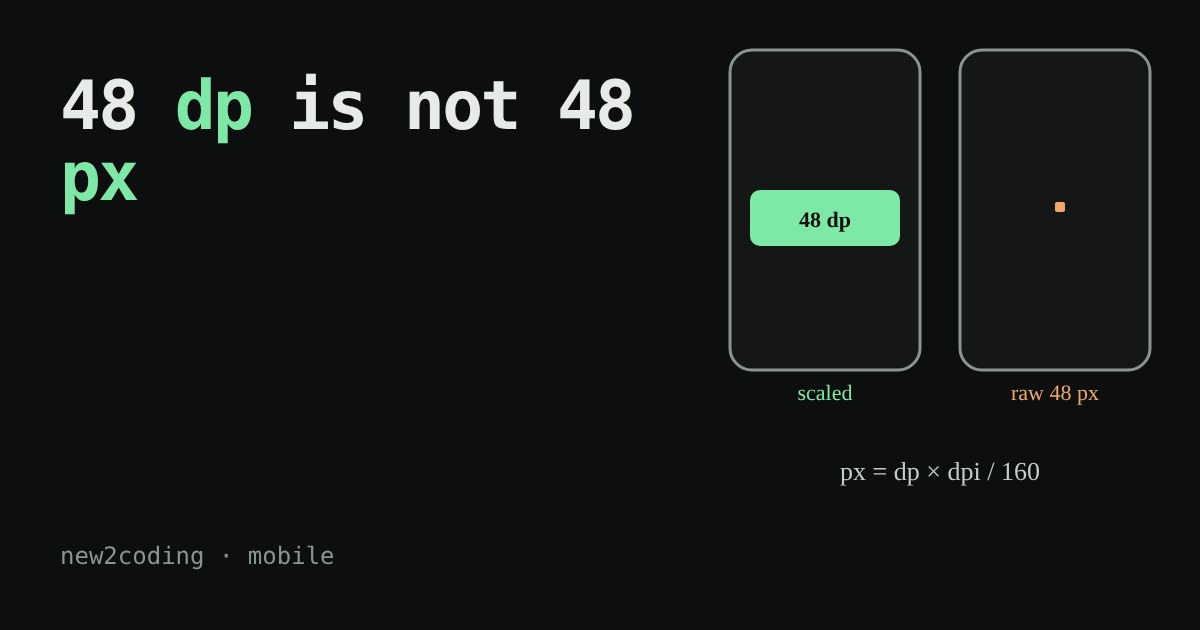
You design a button that is 48 wide. On one phone it looks fine. On another phone it is a tiny dot in the corner. Nothing is broken: the two screens simply count in different amounts of pixels. A pixel is one tiny coloured dot on the screen. This article shows why phones use a different unit instead, and how to read it.
Two phones, the same width, different dot counts
Hold two phones side by side. One is an older budget model, the other a recent flagship. The screens can be almost the same physical size, yet the flagship packs far more dots into it. Its dots are smaller, so its picture looks sharper.
That is a problem for anyone who writes width: 48 and means "48 dots". On the sharp screen, 48 tiny dots cover only a small patch. Fingers do not get smaller when screens get sharper, so a button measured in raw dots would become harder to tap on every new phone.
The fix: count in units that scale
Both big phone systems solve this the same way. They give your code a made-up unit and multiply it into real pixels behind the scenes.
- Android calls it
dp, for density-independent pixel. The system uses the formulapx = dp * (dpi / 160), wheredpiis the screen's dots per inch. A screen of about 160 dpi is the baseline, where 1 dp is exactly 1 pixel. At about 320 dpi, 1 dp is 2 pixels. - iOS calls it a point. Each screen has a scale factor, 2x or 3x on current iPhones, and 1 point is that many pixels across.
Android groups screens into buckets: mdpi (about 160 dpi, scale 1), hdpi (240, scale 1.5), xhdpi (320, scale 2), xxhdpi (480, scale 3) and xxxhdpi (640, scale 4). The scale is just dpi / 160.
Try it: the same 48, measured two ways
Pick a screen, then choose how the button's size is measured. In dp / points mode the button keeps its share of the screen on every phone. In raw pixels mode the same number means fewer and fewer screen-widths as the screen gets sharper.
Switch to raw pixels and tap the sharpest screens. The button shrinks to a sliver, because 48 dots is a smaller and smaller fraction of 1440 or 1179 dots. Switch back to dp or points and the button stays the same share of the screen everywhere.
The same maths in a few lines of Python
This is the conversion the system does for you. Running it prints:
def dp_to_px(dp, dpi):
    return dp * dpi / 160

for name, dpi in [("mdpi", 160), ("xhdpi", 320), ("xxhdpi", 480), ("xxxhdpi", 640)]:
    print(name, dp_to_px(48, dpi), "px")

# the same maths in reverse: how wide is a screen in dp?
print(1080 / (480 / 160), "dp wide")
print(1179 / 3, "points wide (iPhone 15)")
mdpi 48.0 px
xhdpi 96.0 px
xxhdpi 144.0 px
xxxhdpi 192.0 px
360.0 dp wide
393.0 points wide (iPhone 15)Notice the last two lines. A 1080-pixel-wide screen at 480 dpi is 360 dp wide, and the iPhone 15 is 393 points wide even though it has 1179 pixels across. Designers work with these small numbers, not the pixel counts.
What this means for your own code
- Write sizes in dp (Android) or points (iOS). Let the system turn them into pixels.
- Keep tap targets big enough. Android's guidance is at least 48 dp square, and Apple's interface guidelines suggest at least 44 by 44 points. Those sizes are chosen for fingers, not for screens.
- Ship sharp pictures. A 48 dp icon needs 144 pixels across on an xxhdpi screen. If you only supply a 48-pixel image, the system stretches it and it looks blurry. That is why Android lets you provide the same image in several sizes.
- Do not assume a screen's pixel width. Phones of the same dp width can have very different pixel counts, as the 360 dp rows above show.
Text uses a close cousin of dp called sp on Android, which also follows the reader's font-size setting. That is the reason to use sp for words and dp for everything else.