networks/tcp-how-a-network-that-drops-data-still-delivers-every-byte-in-order.md
TCP: how a network that drops data still delivers every byte in order
The internet underneath your apps drops data and makes no promise to deliver it. TCP adds the promise anyway: it numbers every piece, the receiver says which piece it wants next, and anything missing is sent again.
You'll see the three-way handshake, run a real Python client and server, and then break a network yourself: tap pieces to lose them in transit and watch the ACKs, held-back pieces and resends put a message back together in order.
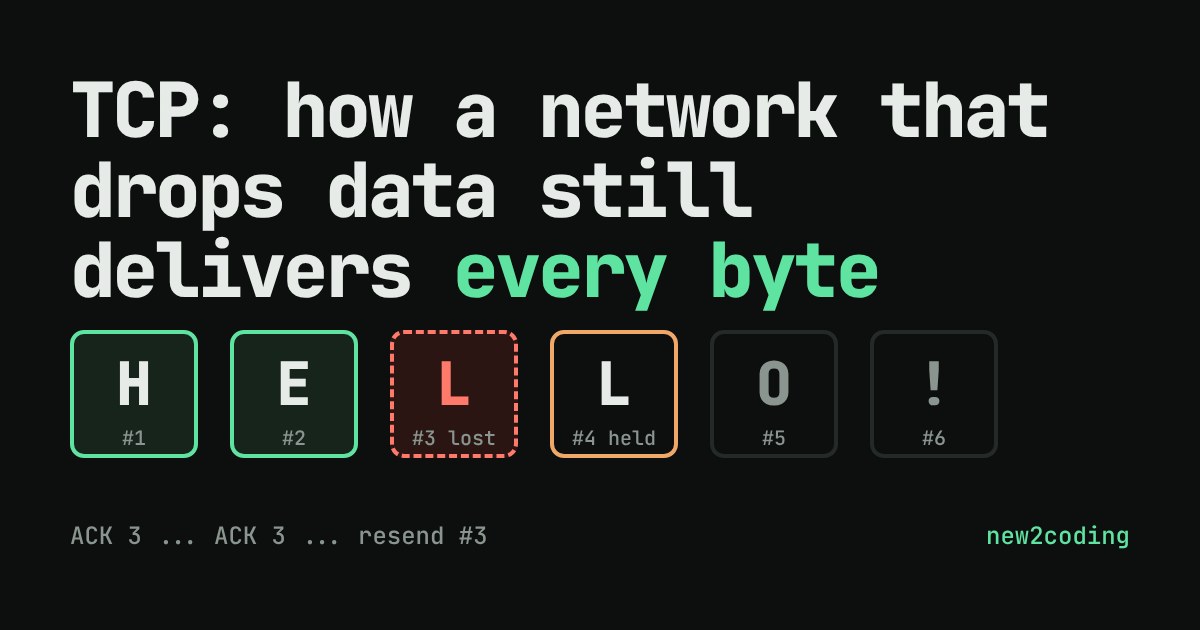
You load a web page. Somewhere between the server and your phone, a few chunks of data get dropped by a busy router. Yet the page arrives complete, in the right order, with nothing missing. How? The internet underneath is not reliable: it makes no promise to deliver anything. Reliability is added on top of it by a protocol called TCP (Transmission Control Protocol), and its trick is surprisingly human: number everything, confirm what arrived, and repeat what didn't.
First, a handshake
Before any real data moves, the two computers agree that they are both ready to talk. This takes three small messages, called the three-way handshake:
| Who | Sends | Meaning |
|---|---|---|
| Client | SYN | "I'd like to start a conversation. My numbering starts at this number." |
| Server | SYN-ACK | "Heard you. Mine starts at this number." |
| Client | ACK | "Heard you too. Let's go." |
SYN is short for "synchronise" and ACK for "acknowledge". The starting numbers matter because every chunk of data afterwards carries a sequence number, which lets the receiver put things in order and notice gaps. (In real TCP the numbers count bytes and the starting value is chosen unpredictably, not 1. The simulator below counts whole pieces from 1 to keep things readable.)
You rarely write this yourself, because your operating system does the handshake for you. In this Python program the connect() call sends the SYN and finishes the handshake; accept() on the other side returns once it is complete:
import socket, threading

server = socket.socket(socket.AF_INET, socket.SOCK_STREAM)  # SOCK_STREAM = TCP
server.bind(("127.0.0.1", 0))      # port 0: let the operating system pick a free port
server.listen()
port = server.getsockname()[1]

def serve():
    conn, addr = server.accept()   # returns once the three-way handshake is done
    data = conn.recv(100)
    print("server got:", data.decode())
    conn.sendall(b"HELLO BACK")
    conn.close()

t = threading.Thread(target=serve)
t.start()

client = socket.socket(socket.AF_INET, socket.SOCK_STREAM)
client.connect(("127.0.0.1", port))  # sends SYN, waits for SYN-ACK, sends ACK
client.sendall(b"HELLO")
print("client got:", client.recv(100).decode())
client.close()
t.join()
Running it prints:
server got: HELLO
client got: HELLO BACK
Notice what the program never does: it never numbers anything, never waits for confirmations, never resends. All of that happens inside the operating system's TCP code, invisible to your program.
Numbered pieces and "what I want next"
TCP cuts your data into pieces called segments, each with a sequence number. The receiver replies with an acknowledgement that says, in effect, "I have everything up to here; the next one I want is number N." This is called a cumulative ACK, and it is the key to the whole design: one reply covers everything before it.
Suppose the sender transmits pieces 1, 2 and 3, and piece 2 is lost on the way. Piece 1 arrives, so the receiver answers "next I want is 2". Piece 3 arrives, but the receiver can't use it yet, because 2 is missing, so it keeps 3 on the side and answers "next I want is 2" again. The sender sees the same number come back and learns exactly which piece to resend. TCP does not need a separate "this one is missing" message; the repeated ACK says it.
Try it: break the network yourself
Try three experiments. First, send everything without losing anything: three pieces, and the ACK numbers climb 2, 3, 4. Second, lose only the first piece of a round and notice that the later pieces still arrive but are held back, so the receiver's message stays empty. Third, lose every piece and see that silence is also a signal: with no ACKs coming back, the sender's timer runs out and it tries again.
What the simulator simplifies
Real TCP does the same job with more machinery. The sender keeps a retransmission timer for data it has not seen acknowledged; the standard says to start with a value of one second until it has measured the connection, then adapt to the measured round-trip time (RFC 6298). Many implementations also use fast retransmit: after three duplicate ACKs they resend the missing piece without waiting for the timer. Here, a simple "resend next round" stands in for both. Real TCP also lets the sender grow its window of in-flight data and slows down when it detects congestion, and ACKs can be lost too. The current TCP specification is RFC 9293.
So what does this mean for your code?
TCP gives your program a clean promise: bytes arrive complete and in order, or the connection reports an error. That is why web pages, email and database connections are built on it. But the promise has a price, and it explains things you will meet later:
The handshake costs a round trip before any data moves, which is one reason a far-away server feels slower on a first request. A lost piece blocks everything behind it until it is resent, which is why one bad moment on a flaky mobile connection can stall a whole page. And "reliable" does not mean "fast" or "always connected": if the network stays broken long enough, TCP gives up and your code gets an exception, so real programs need timeouts and error handling around every network call.
Next time a page hangs for a second and then suddenly appears all at once, picture the receiver holding pieces 3, 4 and 5 on the side, waiting politely for number 2.